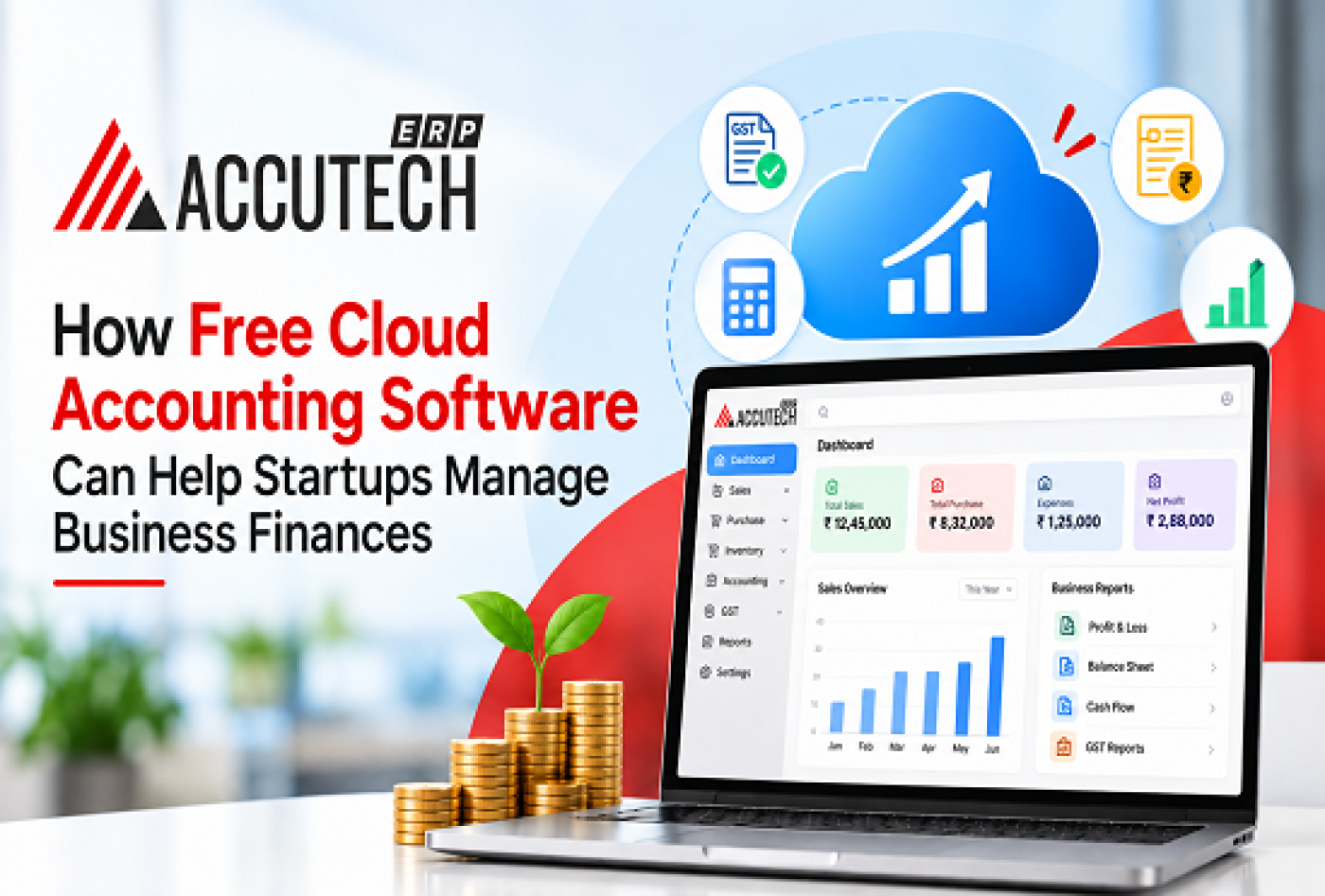
How Free Cloud Accounting Software Can Help Startups Manage Business Finances
Starting a new business is exhilarating, but the financial management aspect can quickly become overwhelming. Between tracking invoices, managing expenses, ensuring GST compliance, and generating financial reports, startup founders often find themselves spending countless hours on accounting tasks that don't directly contribute to business growth.
This is where cloud accounting software becomes a game-changer. In today's digital landscape, startups no longer need to invest thousands of rupees in expensive accounting software or hire dedicated accounting teams from day one. Free and affordable cloud accounting solutions have democratized financial management, making professional-grade accounting accessible to businesses of all sizes.
In this comprehensive guide, we'll explore how cloud accounting software can transform your startup's financial management, streamline compliance processes, and provide real-time insights into your business performance. Whether you're bootstrapping your venture or looking to optimize your existing financial workflow, this guide will help you understand the capabilities of modern cloud-based accounting systems and how they can contribute to your startup's success.
Understanding the financial health of your business isn't just important, it's essential for making informed decisions about expansion, investment, and resource allocation. Let's dive deeper into how cloud accounting software, particularly solutions like best advance accounting ERP software, can revolutionize the way you manage your startup's finances.
Understanding Cloud Accounting Software for Startups
What Is Cloud Accounting Software?
Cloud accounting software represents a fundamental shift from traditional desktop-based accounting applications. Instead of installing software on individual computers and managing local servers, cloud accounting operates entirely on internet-based platforms. Your financial data is securely stored on remote servers managed by dedicated service providers, accessible from anywhere with internet connectivity.
For startups, this accessibility is crucial. Your team members can collaborate on financial tasks from different locations, whether they're working from home, in the office, or while traveling. This flexibility is particularly valuable in today's hybrid work environment.
Cloud accounting software typically includes features such as:
- Automated transaction recording and bank reconciliation
- Real-time financial reporting and dashboard analytics
- Multi-user access with role-based permissions
- Integration with banking platforms and payment gateways
- Automated backup and disaster recovery
- Compliance with local tax regulations (including GST in India)
- Mobile app access for on-the-go financial management
Why Startups Need Accounting Software
Many early-stage founders attempt to manage finances using spreadsheets, only to discover that this approach becomes increasingly unmanageable as the business grows. Spreadsheet-based accounting has several critical limitations:
Accuracy and Error Risk: Manual data entry increases the probability of calculation errors, transposition mistakes, and formula errors that can compound over time.
Time Consumption: What should take minutes with automated accounting software might take hours manually, diverting founder attention from core business activities.
Compliance Challenges: Tax regulations, particularly GST compliance in India, require meticulous tracking and documentation that spreadsheets struggle to manage automatically.
Limited Insight: Spreadsheets provide only static snapshots of data; they can't generate dynamic reports or provide real-time dashboards showing business performance.
Audit Trail Concerns: Spreadsheets lack the comprehensive audit trails necessary for compliance checks and financial audits.
This is where cloud ERP accounting solutions become indispensable. The best advance accounting ERP software combines all necessary accounting functions with modern technology infrastructure that startups need to operate professionally and compliantly.
The Shift From Traditional to Cloud-Based Solutions
Traditional accounting software required:
- Significant upfront capital investment
- IT infrastructure and server management
- Complex installation and configuration
- Limited accessibility from remote locations
- Expensive maintenance and upgrade cycles
- Cloud accounting software, by contrast, offers:
- Minimal initial investment (often free or subscription-based)
- Zero infrastructure management needed
- Automatic updates and feature additions
- Universal accessibility from any device
- Predictable monthly costs
For startups operating with limited budgets and lean teams, this shift represents a massive efficiency gain and cost advantage.
Key Benefits of Integrated Cloud Financial Management Solutions
Complete Financial Control and Visibility
One of the most powerful benefits of implementing cloud ERP accounting is the ability to maintain complete control over your financial operations while gaining unprecedented visibility into every transaction and account balance.
The best advance accounting ERP software provides real-time access to:
Account Management: Create unlimited account hierarchies, set up flexible account structures that match your business organization, and maintain separate accounts for each cost center or business segment.
Transaction Tracking: Every invoice, payment, credit note, and debit note is recorded with complete details including dates, amounts, parties involved, and payment status.
Ledger Visibility: Access detailed account ledgers showing opening balances, individual transactions, and closing balances for any period. Drill down from summary data to individual transaction-level details.
Financial Snapshots: Generate instant views of your financial position including cash balance, accounts receivable, accounts payable, and net worth.
This level of control is particularly important for startups because it enables better cash flow management. Many startups fail not because they're unprofitable, but because they run out of cash due to poor cash flow management. Real-time visibility into outstanding customer invoices and pending payments helps founders manage cash flow proactively.
Automated Compliance and Tax Management
GST compliance is one of the most complex and time-consuming aspects of running a business in India. The reporting requirements are stringent, the penalties for non-compliance are severe, and the monthly filing deadlines are unforgiving.
Cloud accounting software, particularly cloud accounting software India solutions, automates much of this complexity:
Automatic GST Calculations: Every transaction is automatically tagged with the correct GST rate based on product/service classification. The system calculates IGST, CGST, and SGST automatically.
GSTR Form Generation: The system automatically maps your transactions to GSTR-1 (outward supplies), GSTR-2A (inward supplies), and GSTR-3B (return filing) formats, eliminating manual data entry.
Input Tax Credit (ITC) Tracking: Automatically track eligible input taxes and calculate ITC available, ensuring you claim all legitimate credits.
Compliance Reports: Generate GST liability summaries, tax reconciliation reports, and compliance documentation required for filing and audits.
Reverse Charge Handling: For specified supplies, the system automatically applies reverse charge mechanisms, reducing manual compliance burden.
Return Reconciliation: Many cloud solutions provide automated reconciliation between your records and GSTR-2A (supplier invoices received by GST portal), identifying discrepancies before filing.
For startups, this automation means that what traditionally requires 15-20 hours monthly for GST filing now takes 2-3 hours, freeing up resources for business development activities.
Better Financial Decision-Making
Data-driven decision-making is fundamental to startup success. The An advanced accounting ERP system provides financial insights that inform strategic decisions:
Profitability Analysis: Understand which products, services, or customer segments are most profitable. Identify underperforming areas requiring optimization.
Customer Analysis: Track revenue by customer, analyze purchase patterns, and identify your most valuable customers. This information guides marketing and sales strategy.
Supplier Performance: Analyze purchase patterns by supplier, track payment terms, and identify cost optimization opportunities.
Expense Tracking: Monitor business expenses by category, identify spending trends, and find areas for cost reduction.
Working Capital Management: Analyze receivable and payable aging, optimize payment cycles, and improve cash conversion.
Startups that leverage these insights typically make better decisions about product direction, customer focus, and resource allocation, directly impacting growth and profitability.
How Free Cloud Accounting Software Helps With GST Compliance
Automated GST Workflows
GST compliance represents a significant challenge for Indian startups. The bi-monthly (now monthly) filing requirements, complex rules for different transaction types, and penalties for errors create a substantial compliance burden.
Cloud ERP accounting transforms this challenge through automation:
Transaction-Level GST Tagging: Every sales and purchase transaction is automatically tagged with the appropriate GST classification when created, ensuring consistent and accurate application.
Automatic Rate Application: Based on product HSN code and customer/supplier classification, the system automatically applies the correct GST rate, eliminating calculation errors.
Blocked Credit Handling: The system automatically identifies purchases that don't qualify for input tax credit (such as purchases for personal consumption or specified transactions) and excludes them from ITC calculation.
Inter-State Transfer Handling: For supplies crossing state boundaries, the system correctly applies IGST instead of CGST+SGST, handling the compliance nuances automatically.
Return Preparation and Filing Support
Monthly GSTR filing requires accurate reconciliation of invoices, tax amounts, and various classifications. Cloud accounting software streamlines this entire process:
GSTR-1 Automation: Your sales invoices automatically populate GSTR-1 in the correct format. The system ensures all required fields are present and validates data before filing.
GSTR-2A Integration: Some advanced solutions integrate with the GST portal, automatically pulling GSTR-2A data (invoices uploaded by your suppliers) and comparing it with your purchase records.
Discrepancy Identification: The system identifies mismatches between your records and GSTR-2A, such as:
- Invoices recorded by suppliers but not received
- Amount variations between your records and supplier records
- Rate differences
- HSN classification mismatches
Bulk Correction: Easily correct and resubmit data, with the system maintaining version history and audit trails.
Compliance Documentation: Generate detailed GST reports supporting your filing, including tax summaries, ledger-wise GST breakdowns, and reconciliation statements.
Multi-Location GST Management
For startups with multiple locations or branches, cloud-based ERP financial management ensures consistent GST compliance across all entities:
- Separate GSTIN Management: If each location has a separate GSTIN, the system maintains separate books for each entity while allowing consolidated reporting.
- Intercompany Transaction Handling: Track supplies between entities accurately, applying the correct GST rate and ITC treatment for intercompany transactions.
- Branch Reporting: Generate branch-wise financial reports with GST breakdowns, ensuring each location is filing correctly.
Real-Time Financial Reporting and Data Analytics
Dashboard and Reporting Capabilities
Unlike traditional accounting software that requires technical expertise to extract reports, modern cloud accounting software provides intuitive dashboards and on-demand reporting:
Executive Dashboards: At a glance, view key metrics:
- Current cash position
- Outstanding receivables and aging
- Payables and payment due dates
- Monthly revenue trend
- Expense summary by category
- GST liability and tax provision
Detailed Financial Statements: Generate standard financial statements instantly:
- Profit & Loss Statement with flexible period comparison
- Balance Sheet showing assets, liabilities, and equity
- Cash Flow Statement showing operating, investing, and financing activities
- Trial Balance for month-end or year-end closing
- Schedule of accounts and ledger details
Customizable Reports: Most cloud accounting solutions allow you to:
- Select specific accounts, cost centers, or dimensions
- Choose reporting periods and comparison options
- Drill down from summary data to transaction details
- Export reports in multiple formats (PDF, Excel, CSV)
Real-Time Financial Analysis
Real-time data enables rapid financial analysis crucial for startup decision-making:
Liquidity Analysis: Monitor your cash position, current assets vs. current liabilities, and liquidity ratios to ensure you have sufficient resources for operations.
Profitability Trends: Track gross profit margin, operating profit margin, and net profit margin trends to understand whether your business is becoming more or less profitable.
Business Metrics: Calculate key performance indicators:
- Revenue per customer
- Customer acquisition cost vs. lifetime value
- Gross profit per product
- Days Sales Outstanding (receivables management)
- Days Payable Outstanding (payables management)
Variance Analysis: Compare actual performance against budgets or previous periods to identify deviations early and take corrective action.
Reporting for Different Stakeholders
Different stakeholders require different financial information:
- For Founders: Dashboard showing cash position, burn rate, revenue growth, and key metrics.
- For Investors: Detailed P&L statements, balance sheets, and KPI reports demonstrating business performance and unit economics.
- For Banks: Financial statements, aged receivables, cash flow projections, and collateral valuation for loan applications.
- For Tax Authorities: GST returns, income tax documentation, and compliance certifications.
- For Auditors: Complete transaction listings, audit trails, and reconciliation documentation supporting financial statements.
The best advance accounting ERP software generates appropriate reports for each stakeholder group automatically, ensuring you're always prepared for investor meetings, bank interactions, or compliance audits.
Streamlining Multi-Entity and Branch Operations
Managing Multiple Business Entities
As startups grow, many establish multiple entities for tax optimization, risk management, or to enter new markets. Cloud ERP accounting simplifies multi-entity management:
- Consolidated Reporting: Maintain separate books of accounts for each entity while generating consolidated financial statements showing combined business performance.
- Intercompany Transaction Tracking: Record transactions between entities accurately, applying appropriate GST treatment and eliminating intercompany balances in consolidated reports.
- Separate Tax Compliance: Each entity maintains its own GST and income tax compliance, with the system ensuring separate filing for each GSTIN and PAN.
- Permission-Based Access: Assign users to specific entities with appropriate access permissions—the finance team for Entity A might not have access to Entity B's records.
- Flexible Consolidation: Generate consolidated P&L and balance sheet with the option to show individual entity performance or combined performance.
Branch and Location Management
For startups operating from multiple locations (whether through branches, franchises, or distribution channels):
- Location-Wise Financial Tracking: Track revenue, expenses, and profitability for each branch separately, identifying high-performing and underperforming locations.
- Inventory Management: Maintain separate inventory for each location with inter-branch transfer tracking and stock reconciliation.
- Performance Comparison: Compare branch performance side-by-side—revenue per branch, expense ratios, profitability margins—to identify best practices and problem areas.
- Consolidated Performance: View entire business performance while drilling down to individual branch level for operational insights.
Integration Capabilities and Automation Features
Bank and Payment Gateway Integration
Cloud accounting software reduces manual data entry through intelligent integrations:
- Automatic Bank Feed: Transactions from your business bank accounts flow automatically into accounting software, reducing manual reconciliation time from hours to minutes.
- Payment Gateway Integration: Online payments from customers (through Razorpay, PayU, or other gateways) are automatically recorded as customer receipts.
- Expense Auto-Capture: Business credit card and digital wallet transactions can be automatically captured and categorized.
- Bank Reconciliation: Match recorded transactions with bank statements automatically, flagging unreconciled items for investigation.
Inventory and Purchase Integration
For product-based startups, accounting software integration with inventory management is critical:
- Stock-Linked Accounting: When you record a sale, inventory is automatically decremented and the cost of goods sold is automatically calculated.
- Purchase Orders to Invoices: Create purchase orders in the inventory system; when the supplier invoice arrives, match it against the PO automatically.
- Stock Valuation: Automatically calculate inventory value using weighted average cost, FIFO, or LIFO methods, ensuring accurate cost of goods sold.
- Stock Reconciliation: Conduct periodic physical stock counts and reconcile with system records, identifying discrepancies and adjusting for shrinkage.
CRM and Sales Integration
Many cloud accounting solutions integrate with CRM systems:
- Customer Data Sync: Customer information (names, addresses, credit limits) synchronizes between CRM and accounting systems.
- Invoice Creation from Sales: When a sales team records a sale in CRM, the accounting system automatically creates corresponding invoices.
- Payment Status Updates: When accounting records a payment receipt, the CRM updates the customer's payment status and account health.
- Revenue Recognition: Automatic updates to revenue recognition as sales move through different stages.
Security and Data Protection in Cloud Systems
Data Protection and Encryption
One of the primary concerns startups have about cloud accounting software is security. Modern cloud solutions address these concerns through enterprise-grade security:
Data Encryption: Information is encrypted both in transit (using SSL/TLS protocols) and at rest (using AES-256 or similar encryption), ensuring that even if servers are compromised, data remains unreadable.
Multi-Level Authentication: Access is protected through multiple authentication factors:
- Username and password
- Two-factor authentication (2FA) via SMS or authenticator app
- Biometric authentication on mobile apps
Role-Based Access Control: Assign specific permissions to each user:
- Accounting managers can access all modules
- Bookkeepers can record transactions but not approve payments
- Managers can view reports but not modify data
- Finance team lead approves all transactions above specified amounts
Audit Trails and Compliance Documentation
Cloud accounting software maintains comprehensive audit trails required for compliance and security:
- Complete Transaction History: Track who created each transaction, when they created it, what changes were made, and when modifications occurred.
- Approval Workflows: Document approval chains for transactions, showing who approved, when, and from which device/location.
- Data Access Logs: Maintain records of which users accessed which data, at what time, and what actions they performed.
- Compliance Ready: Generate audit trail reports required for statutory audits, bank reviews, or regulatory inspections.
Data Backup and Disaster Recovery
Cloud providers implement sophisticated backup and disaster recovery:
- Automatic Backups: Your data is automatically backed up multiple times daily to geographically distributed data centers.
- Point-in-Time Recovery: If data is accidentally deleted or corrupted, restore from any recent backup point.
- Redundancy: Your data is replicated across multiple servers and data centers, ensuring availability even if one facility experiences issues.
- Business Continuity: Most cloud solutions provide 99.9% uptime guarantees, ensuring your accounting system is available when you need it.
Scalability: Growing Your Systems With Your Business
Handling Business Growth
One major advantage of cloud accounting software over traditional systems is scalability. As your startup grows from startup to scale-up:
User Expansion: Add new team members to the system instantly without capacity constraints. Whether you grow from 2 users to 20 users, the system accommodates seamlessly.
Transaction Volume: Process increasing transaction volumes without slowdown. A system handling 100 transactions/month can smoothly handle 100,000 transactions/month.
Multi-Currency Support: As you expand internationally, add new currencies and manage transactions across different currencies and countries.
Advanced Modules: Start with basic accounting, then add advanced modules as needed:
- Financial consolidation for multiple entities
- Project accounting for tracking project-based revenues
- Advanced inventory management for complex supply chains
- Budget planning and forecasting
- Fixed asset management
From Startup to Scale-Up
The journey from startup to scale-up typically follows a predictable pattern in terms of accounting needs:
- Stage 1 (Startup): Basic invoicing and expense tracking, single location, simple inventory.
- Stage 2 (Growth): Multiple locations, more complex products, need for advanced reporting, first employee hires.
- Stage 3 (Scale-Up): Multiple entities, complex supply chains, international expansion, sophisticated financial planning.
Cloud accounting software supports all stages without requiring system migration or complex data transfer between platforms, saving time and reducing implementation risk.
Cost Savings and ROI for Startups
Reduced Software and Infrastructure Costs
The financial advantage of cloud accounting software is immediate:
- Eliminated Hardware Investment: No need to purchase servers, storage devices, or backup systems.
- No IT Staff Required: You don't need dedicated IT personnel to manage, update, and maintain your accounting system.
- Predictable Monthly Costs: Instead of large capital expenditures for software licenses, you pay a predictable monthly or annual fee.
- Automatic Updates: Software updates are included in your subscription; you don't pay extra for new versions or features.
- No Maintenance Burden: The cloud provider handles maintenance, security patches, and system upgrades.
For a startup running lean, these cost savings can be the difference between affording accounting software and trying to manage finances manually.
Reduced Labor Costs Through Automation
Beyond software costs, the real ROI comes from labor savings through automation:
- Time Savings on Data Entry: Bank reconciliation that takes 3-4 hours monthly with manual work takes 15-20 minutes with automated bank feeds.
- GST Filing Automation: Monthly GST filing that takes 15-20 hours manually takes 2-3 hours with automated system support, saving 45+ hours monthly.
- Invoice and Payment Processing: Automated invoice generation and payment reminders reduce manual processing time by 70-80%.
- Financial Reporting: Standard reports generate in seconds instead of hours required for manual compilation.
- Reconciliation Efficiency: Month-end closing that might take several days for a growing startup closes in days with automated reconciliation and accrual calculations.
ROI Calculation for Startups
Consider a typical startup scenario:
- Monthly software cost: ₹5,000-10,000
- Time savings: 40-50 hours monthly
- Cost of accounting resources: ₹500-1,000 per hour (considering salary, benefits, overhead)
- Monthly labor cost savings: ₹20,000-50,000
- Net monthly benefit: ₹10,000-45,000
- Annual ROI: 200-500%
For most startups, cloud accounting software pays for itself within the first month through labor efficiency gains, making it one of the highest-ROI investments you can make.
Implementation Best Practices
Planning Your Implementation
Successful implementation of cloud accounting software starts with thorough planning:
Define Current Process: Document your current accounting processes, identifying pain points and areas requiring automation.
Identify Your Needs: Make a comprehensive list of required features—GST compliance, multi-location support, inventory integration, reporting requirements.
Select the Right Solution: Compare options based on your specific needs. Don't select based on features you might need someday; focus on what you need now.
Plan Data Migration: If migrating from another system, plan data transfer carefully. Typically, you'll need to:
- Export data from existing system
- Clean and validate data
- Map it to new system structure
- Reconcile opening balances
- Verify migration accuracy
Schedule Implementation: Implement during a period with lower transaction volume, allowing time for team training and bug resolution without disrupting operations.
Team Training and Change Management
Implementation success depends heavily on adoption by your team:
Assign a Champion: Designate one team member as the system champion responsible for troubleshooting and supporting others.
Conduct Training: Provide training tailored to different roles:
- Accounting staff: Complete system training covering all functions
- Management: Focus on reporting and analytics features
- Operations: Train on relevant modules (inventory, purchase orders, etc.)
- Create Documentation: Develop internal documentation and quick-reference guides for common tasks.
- Go Live Gradually: Start with one module or entity, then gradually expand rather than implementing everything simultaneously.
- Support Post-Launch: Ensure adequate support during the first 30-60 days as the team adjusts to the new system.
Ongoing Optimization
Implementation doesn't end at launch:
- Monitor Usage: Track system adoption, identifying modules underutilized or individuals struggling with the system.
- Gather Feedback: Regularly solicit feedback from users about pain points and improvement opportunities.
- Optimize Configurations: As you understand the system better, optimize settings and automations to match your actual workflow.
- Regular Reviews: Monthly or quarterly reviews of financial reports ensure data quality and identify emerging needs.
Common Mistakes to Avoid When Choosing Accounting Software
Mistake #1: Choosing Based on Price Alone
While cost is important for startups, the cheapest option isn't always the best:
Risk: A low-cost solution lacking GST compliance features or scalability will ultimately cost more through:
- Additional manual work required
- Compliance errors and penalties
- System migration costs as you outgrow the solution
- Lost productivity from a system that doesn't match your workflow
Solution: Evaluate solutions based on total cost of ownership, including implementation, training, and the value of time saved through automation.
Mistake #2: Ignoring Scalability
Choosing a system that doesn't grow with your business leads to:
- Repeated system migrations and data transfers
- Loss of historical data during migrations
- Team disruption during transitions
- Wasted training investments in systems you'll outgrow
Solution: Select a solution with room to grow. You might not need multi-entity or advanced features today, but the system should support them as you expand.
Mistake #3: Not Properly Testing Before Commitment
Risk: Implementing a system company-wide before thoroughly testing leads to:
- Discovered limitations after go-live
- Integration issues with your other systems
- Training wasted on workarounds for missing features
- Difficulty extracting data if you need to switch systems
Solution: Run a pilot implementation with one team or department before full rollout. This identifies issues when they're still manageable.
Mistake #4: Underestimating Implementation Time
Risk: Many startups assume accounting software can be implemented in days, leading to:
- Compressed timelines causing errors
- Insufficient training leading to poor adoption
- Data migration mistakes
- Unrealistic expectations about immediate results
Solution: Allow at least 4-8 weeks for proper implementation including planning, data migration, testing, training, and stabilization.
Mistake #5: Neglecting Data Migration Quality
Risk: Rushing data migration from existing systems causes:
- Opening balance errors carrying forward indefinitely
- Missing historical data for analysis and audits
- Reconciliation issues that take months to identify and fix
- Loss of audit trails for compliance
Solution: Allocate adequate time and resources to data migration. Verify all opening balances and perform thorough reconciliation before going live.
Mistake #6: Inadequate Training and Change Management
Risk: Teams not properly trained on new systems:
- Continue using workarounds or manual processes
- Underutilize system features
- Make data entry errors due to misunderstanding
- Resist system adoption
Solution: Invest in comprehensive training tailored to different user roles. Create champions who support others during the transition.
Frequently Asked Questions (Faqs)
Q1: Is free cloud accounting software reliable for business-critical functions?
While free versions have limitations, reputable free cloud accounting solutions (often called freemium models) are absolutely reliable for business-critical functions. However, understand the limitations:
- Free Tier Limitations: Most free versions limit transaction volume (50-100 transactions/month), number of users, or available features. They're suitable for very early-stage startups with simple needs.
- Paid Tiers for Growth: As your business grows, upgrade to paid plans offering unlimited transactions, additional users, and advanced features.
- Reliability: Established providers like AccuTech ERP and similar platforms maintain enterprise-grade reliability even for free accounts, with the same data security and uptime guarantees as paid plans.
- Recommendation: Start with free tiers to learn the system and evaluate fit. As transaction volume increases, upgrade to plans matching your business needs.
Q2: How does the best advance accounting ERP software handle multi-currency transactions?
Modern cloud accounting software handles multi-currency operations through:
- Currency Setup: Define currencies your business operates in (USD, EUR, INR, etc.) with daily exchange rates automatically updated.
- Transaction Recording: Record transactions in the original currency; the system converts to base currency for reporting using the transaction date's exchange rate.
- Exchange Gain/Loss: Automatically calculate and record exchange gains or losses when payments are received or made in different amounts than recorded.
- Currency Reports: Generate reports in different currencies or consolidated in your base currency.
- GST Compliance: GST is calculated on the local currency amount, ensuring compliance with Indian tax regulations even for foreign currency transactions.
Q3: Can cloud ERP accounting handle complex manufacturing or service business models?
Yes, modern cloud accounting software supports diverse business models:
- Job Costing: Track costs associated with specific projects or jobs, allocating labor, materials, and overhead to each project for profitability analysis.
- Work-in-Progress (WIP): For businesses with long project cycles, track projects in progress separately from completed products.
- Resource Allocation: Track billable hours, resource utilization, and project profitability.
- Service Revenue Recognition: Handle various service revenue recognition methods based on contract types (time-and-material, fixed-price, retainer, etc.).
- Manufacturing Costing: Track raw material, work-in-progress, and finished goods inventory with standard costing, actual costing, or process costing methods.
The Modern ERP accounting software provides industry-specific modules supporting these complex scenarios.
Q4: What happens to my data if the cloud accounting software provider shuts down?
This is a legitimate concern, but reputable providers have safeguards:
- Data Export: Providers allow you to export all your data in standard formats (Excel, CSV) at any time, enabling easy migration to another system.
- Acquisition Clauses: If a provider is acquired, data rights typically transfer to the acquiring company with user agreements protecting your data access.
- Bankruptcy Provisions: Some providers maintain escrow arrangements where customer data is released to users if the company fails.
- Market Maturity: Established accounting software providers have significant user bases and revenue streams, making failure unlikely. The market has consolidated around several reliable players.
- Recommendation: Use established providers with significant market presence and positive track records. Maintain regular data backups that you control.
Q5: How does cloud accounting software ensure GST compliance accuracy?
Ensuring GST compliance is a core function of cloud accounting software for Indian businesses:
- Automatic Tax Classification: Products and services are classified with appropriate HSN codes and GST rates. The system applies the correct rate (5%, 12%, 18%, or 28%) based on this classification.
- Transaction-Level Tracking: Every transaction includes GST details—tax amount, rate applied, and ITC eligibility.
- GSTR Form Generation: The system generates GSTR-1 (sales), GSTR-2A (purchases), and GSTR-3B (summary) in the format required by GST authorities.
- ITC Reconciliation: Automatic reconciliation identifies invoices uploaded by suppliers in GSTR-2A but not recorded in your purchase invoices.
- Compliance Reports: Generate detailed tax reports supporting your filing, including reverse charge summaries, exempt supplies, zero-rated supplies, and other compliance documentation.
- Regulatory Updates: Cloud providers update systems when GST rules change, ensuring your system remains compliant with the latest regulations.
A reliable advanced accounting platform designed for Indian businesses includes these compliance features as core functionality, not add-ons.
Q6: Can startups integrate cloud accounting software with other business tools?
Yes, integration is a key advantage of modern cloud accounting solutions:
- Payment Gateways: Integrations with Razorpay, PayU, and similar platforms automatically record customer payments.
- Banking Platforms: Direct integration with Indian banks and neo-banks (ICICI, HDFC, Federal Bank, Kotak, etc.) provides automatic bank feeds.
- CRM Systems: Integration with CRM platforms synchronizes customer data and automatically creates invoices from sales records.
- E-commerce Platforms: For online sellers, integrations with Shopify, WooCommerce, and marketplace platforms (Amazon, Flipkart) automatically record sales.
- Inventory Management: For product businesses, integration between accounting and inventory systems ensures stock levels are updated when sales are recorded.
- Expense Management: Integration with corporate credit card providers and expense management apps automatically captures business expenses.
- Communication Tools: Some solutions integrate with Slack or Teams for notifications about pending approvals or critical transactions.
These integrations eliminate duplicate data entry, reduce errors, and improve operational efficiency.
Q7: How long does it take to implement cloud accounting software?
Implementation timeline varies based on complexity:
Simple Setup (Basic Accounting): 2-4 weeks for startups with simple needs:
- Week 1: System setup, chart of accounts configuration
- Week 2: Bank and payment gateway integration, training
- Week 3-4: Data migration from existing system, testing, go-live
Moderate Complexity (Multi-Location or Inventory): 4-8 weeks:
- Weeks 1-2: System setup, account structure, inventory configuration
- Weeks 3-4: Integration setup, user training, pilot implementation
- Weeks 5-6: Data migration and reconciliation
- Weeks 7-8: Testing, refinement, full rollout
Complex Implementation (Multiple Entities, Advanced Modules): 8-12 weeks or more:
- Detailed planning and requirements gathering
- Complex data migration from multiple legacy systems
- Custom configuration and workflow setup
- Comprehensive training for diverse user groups
- Extended testing and validation
Critical Success Factors:
- Dedicated implementation team and champion
- Clear requirements definition upfront
- Timely decision-making on configuration options
- Realistic timeline without rushing
Q8: What security certifications and compliance standards should I look for in cloud accounting software?
Evaluate cloud accounting solutions against these security and compliance standards:
Data Protection:
- ISO 27001 (Information Security Management)
- SOC 2 Type II (Security, Availability, Processing Integrity, Confidentiality, Privacy)
- GDPR compliant (even if not applicable to your business, indicates strong privacy practices)
Industry Certifications:
- Certified by relevant government bodies in India
- Compliance with RBI regulations for financial data handling
- GST authority recognized for filing support
Data Location:
- Confirm data is stored in India-compliant data centers (many Indian businesses prefer domestic data storage)
- Understand backup and disaster recovery procedures
- Verify encryption standards (minimum AES-256)
Audit and Compliance:
- Regular third-party security audits
- Penetration testing to identify vulnerabilities
- Comprehensive audit trails for compliance
- Support for financial audits by external auditors
Transparency:
- Published security documentation
- Clear privacy policies regarding data usage
- Transparent incident reporting procedures
- Vendor right to audit data centers
The best advance accounting ERP software for Indian startups meets or exceeds these standards, providing the security and compliance assurance your business requires.
Conclusion:
Cloud accounting software has fundamentally transformed how startups approach financial management. What once required expensive software, IT infrastructure, and dedicated accounting staff is now accessible to startups of any size through cloud-based solutions that automate complex processes and provide real-time insights.
For your startup, implementing cloud ERP accounting offers immediate benefits:
Immediate Wins:
- Reduce time spent on manual bookkeeping and GST compliance
- Eliminate spreadsheet-based financial management with its associated errors and limitations
- Access real-time financial reports and dashboards supporting better decision-making
- Ensure GST compliance automatically, reducing penalties and compliance risk
Medium-Term Benefits:
- Scale your accounting operations as your business grows without proportionally increasing team size
- Gain financial insights enabling better product, pricing, and customer decisions
- Establish professional financial practices attractive to investors and bank lenders
- Create comprehensive audit trails supporting compliance audits and investor diligence
Long-Term Advantages:
- Build a financial system that scales with your business from startup to scale-up to mature company
- Reduce total cost of ownership through eliminated infrastructure investment and labor efficiency
- Maintain financial flexibility to pivot, optimize, or expand based on real-time performance data
Action Steps for Implementation
This Week:
- Define your specific accounting needs (GST compliance, multi-location, inventory, etc.)
- Research 3-4 cloud accounting solutions matching your requirements
- Request demos or start free trials to evaluate fit
Next 2 Weeks:
- Compare solutions against your requirements and total cost of ownership
- Check security certifications and compliance standards
- Read reviews from other startup users
- Make a decision on the solution to implement
Implementation Phase:
- Subscribe to chosen cloud accounting solution
- Assign a team member as system champion
- Set up chart of accounts and basic configuration
- Integrate with banking and payment platforms
- Conduct team training on system usage
- Migrate historical data from existing system
- Go live and monitor during first 30 days
Final Thoughts
In today's business environment, cloud accounting software isn't a luxury, it's a necessity for startups operating professionally and compliantly. The founders who gain a competitive advantage are those who leverage technology to work smarter, not harder.
By implementing the best advance accounting ERP software appropriate for your startup's stage and needs, you're not just automating accounting tasks. You're building the financial infrastructure that enables faster growth, better decision-making, and professional operations that scale efficiently.
The question isn't whether to implement cloud accounting software, but which solution to choose and when to implement it. The sooner you move away from manual, spreadsheet-based accounting and toward systematic, automated cloud accounting, the sooner you can focus your entrepreneurial energy on growing your business rather than managing financial administration.
Start your cloud accounting journey today. Your future self and your startup's financial health will thank you.