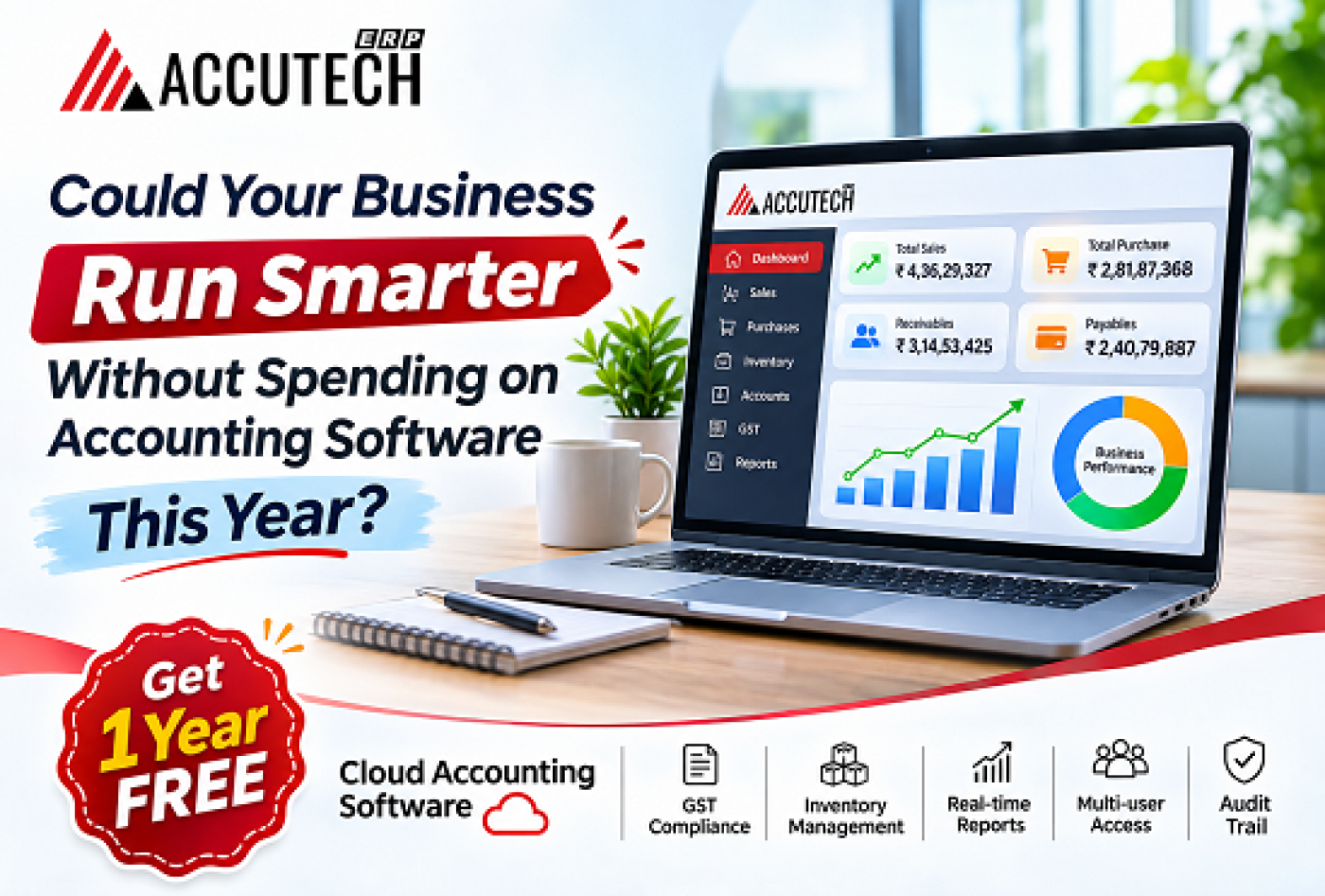
Could Your Business Run Smarter Without Spending on Accounting Software This Year?
Ask a business owner in Indore, Ludhiana or Pune what they dread at month-end, and the answer is rarely sales. It is the pile of invoices, the GST mismatch nobody can explain, and the Excel sheet that only one person in the office understands.
So the question in the title deserves an honest answer. Yes, your business can run smarter without spending on accounting software this year. But “without spending” has to be handled with care. A free year of the right system is a genuine head start. A free tool that cannot handle GST, or one that traps your data, is an expensive mistake that simply arrives later.
In this guide we will look at what free really means, what Indian businesses must be ready for in 2026, and how to judge the best accounting software in India for your size. We will also see why cloud ERP accounting is replacing spreadsheets and desktop tools, and what the best advance accounting ERP software should include. For a practical example, we will use Accutech ERP’s Advance Accounting module, which is currently offered with one free year.
Quick answer: Yes. A business can bring its accounting software spend to zero this year by using a free-first-year ERP, provided the system covers GST, ledgers, inventory-linked accounting, an audit trail and data export. The savings are real only if you migrate clean data, test compliance reports early and know the post-offer pricing before the free period ends.
The Hidden Cost of Running Accounts Without Software
Not buying software feels like saving money. In most businesses it just moves the cost to places that are harder to see.
1. Your team’s time
Retyping sales invoices, matching purchase bills against supplier data and chasing outstanding payments by phone can quietly eat several working days every month. That is salary spent on copying numbers, not on growing the business.
2. Errors that turn into tax problems
A wrong HSN code, a missed rate change or an unclaimed input tax credit rarely looks serious on the day. At return time, it shows up as a mismatch, a notice or lost money.
3. Slow decisions
If stock levels, receivables and profit are only clear after the accountant “closes the month,” you are driving by looking in the rear-view mirror. Live reports let you act while there is still time to change the outcome.
4. Audit and bank stress
When a CA, a bank or a tax officer asks for a ledger or invoice trail, scattered files turn a simple request into a week of searching.
Illustrative example: Imagine a distributor with around 600 sales invoices and 300 purchase bills a month. If each entry takes only two extra minutes because of manual work and checking, that is roughly 30 hours of effort every month before a single return is filed. The numbers are hypothetical, but most owners will recognise the pattern.
“Free” Accounting Software: What It Really Means
The word free is used in at least five different ways. Knowing which one you are being offered is half the battle.
Type of “free” | What you usually get | Watch out for |
|---|---|---|
Short trial (7–30 days) | Full or near-full features for a limited time | Too short to complete one GST cycle |
Freemium plan | Basic billing, limited users or invoices | Reports, e-way bills or multi-user access locked behind paid plans |
Free first year (full ERP) | Complete modules for 12 months | Price and terms after the offer; data export rights |
Open-source / DIY | Software code at no licence cost | Setup, hosting, GST updates and support are on you |
Cracked or pirated copies | Nothing you can trust | Malware, no updates, legal and audit risk. Avoid completely |
A free first year of a full ERP is the most useful of these because it lets you run an entire financial year, including a full GST cycle and year-end closing, before you pay anything.
Questions to ask before accepting any free offer
- Which modules are included: accounts, inventory, GST, reports?
- Are there limits on users, branches, invoices or storage?
- Is support included, and in which language and hours?
- What is the price after the free period, in writing?
- Can I export all my data in a usable format at any time?
- Who updates the software when GST rules change?
Why 2026 Is a Smart Year to Leave Spreadsheets
Indian compliance has become more data-driven every year. The government systems increasingly compare what you report against what your suppliers and customers report. Spreadsheets were not built for that.
E-invoicing
E-invoicing is mandatory for businesses above the prescribed turnover threshold, and the threshold has been lowered in stages since it began.
ITC and GSTR-2B
Input tax credit is closely tied to what appears in your auto-drafted GSTR-2B. If your purchase records and supplier filings do not match, you can lose credit or spend hours explaining differences. Software that reconciles purchase data against GST statements spots gaps before filing, not after.
Audit trail for companies
Under the Companies (Accounts) Rules, companies that use accounting software are required to use a system with an audit trail (edit log) that cannot be switched off. You can read the rules on the Ministry of Corporate Affairs website. Even if you are not a company, a clear audit trail protects you from disputes and internal errors.
Banks and investors want cleaner numbers
Lenders and investors are far more comfortable with businesses that can produce a trial balance, balance sheet and ageing report quickly. Clean books support better credit terms.
Note: Tax rules and thresholds change. Always confirm current requirements on official government websites or with your chartered accountant.
How to Choose the Best Accounting Software in India
Every list of the best accounting software in India has a different winner, because there is no single winner. The right pick depends on your business type, volume, number of branches and how comfortable your team is with technology. Use this checklist instead of relying on rankings alone.
Area | Must-have | Good to have |
|---|---|---|
GST | Correct tax calculation, HSN support, GSTR-1 and GSTR-3B data, ITC visibility | Automated GSTR-2B reconciliation, e-invoicing and e-way bill support |
Accounting core | Multi-level ledgers, vouchers, cash/bank/day books, trial balance, P&L, balance sheet | Custom balance sheet mapping, cost centres |
Inventory | Item master, HSN, opening stock, stock ledger and summary | Batch tracking, packing materials, rate lists |
Reports | Party-wise outstanding, sale and purchase summaries | Drill-down from summary to transaction, scheduled reports |
Security | User roles, audit trail, regular backups | Detailed activity logs, two-step login |
Scalability | Multi-user access, multi-branch support | Multi-entity consolidation |
Support | Responsive help during GST due dates | Training sessions and onboarding |
Notice that nothing on this list says “biggest brand.” A smaller product that fits your workflow, and is honest about pricing, often beats a famous name that is too complicated for your team.
Cloud ERP Accounting vs Desktop Software vs Excel
Cloud ERP accounting means your books, inventory and reports live on secure online servers. You log in from a browser or app, and the provider takes care of hosting, backups and updates. It is a different idea from installing software on a single office computer.
Why owners are moving to the cloud
- Access from anywhere. You, your accountant and your branch manager can see the same numbers without emailing files.
- Automatic backups. A crashed hard drive or stolen laptop no longer means lost books.
- Updates handled for you. When GST formats change, the provider ships the update.
- Easier multi-branch control. Every location posts to one system with separate books and combined reports.
- Role-based access. Staff see only what they need, which reduces the risk of fraud.
Honest drawbacks
Cloud systems need a reasonably stable internet connection, and you depend on the vendor’s reliability. Reduce that risk by asking about uptime, backup frequency and your right to export data. A good provider will answer these questions without hesitation.
Factor | Excel / manual | Desktop software | Cloud ERP |
|---|---|---|---|
Setup | None | Install on each PC | Login and configure |
Multi-branch access | Difficult | Limited | Built in |
Backups | Manual | Manual or local | Automatic |
GST updates | Self-managed | Update downloads | Handled by provider |
Audit trail | Weak or none | Varies | Usually built in |
Real-time reports | No | Partly | Yes |
Error risk | High | Medium | Lower |
What the Best Advance Accounting ERP Software Should Include
The best advance accounting ERP software is not the one with the longest feature list. It is the one that covers the full flow of your money, from the first invoice to the final balance sheet, without forcing you to juggle five different tools. Here is what that looks like in practice, with examples from Accutech ERP’s Advance Accounting module.
Flexible accounts management
You should be able to build your chart of accounts the way your business actually works, with unlimited hierarchy levels and balance sheet head mapping so that statements build themselves.
Product and inventory integration
Accounting and stock should talk to each other. Look for an item master with HSN codes, rate lists, product groups and types, manufacturer records, opening balances and packing material tra
Accurate transaction processing
Day-to-day entries should cover sale and purchase orders, invoices and returns, proforma invoices, reorder purchase orders, credit and debit notes for rate differences, and vouchers. Live financial and business reports
Reports you will use every week include sale and purchase summaries, party-item-wise analysis, HSN summaries, account and product ledgers, stock summary, and party and supplier outstanding. If you have to export to Excel to understand them, the reporting is not doing its job.
GST returns and compliance support
Monthly and yearly tax summaries, invoice-level tax visibility and return preparation support reduce last-minute panic on due dates.
Complete account books and statements
Cash book, bank book, sale book, purchase book, day book, trial balance, profit and loss account and balance sheet should all generate from the same data.
Multi-entity support and audit trail
If you run more than one branch or business entity, you need separate books with combined visibility. An audit trail records who changed what and when, which protects you during audits and internal reviews.
How Accutech ERP lines up
Your need | What the Advance Accounting module offers |
|---|---|
Control over ledgers | Account heads with unlimited hierarchy, balance sheet head mapping |
Stock-linked accounting | Product master, HSN, rate lists, opening balances, packing records |
Daily transactions | Sale and purchase orders, invoices, returns, proforma, CR/DR notes, vouchers |
Management visibility | Sale and purchase reports, ledgers, stock summary, outstanding analysis |
Compliance | GST workflow support, return visibility, tax summaries by month and year |
Growth | Multi-branch and multi-entity support in one system |
Because Accutech ERP is offering one full year free, you can test all of the above on live business data instead of a demo. That is the real value of the offer: a complete financial year of evidence.
How to Use Your Free Year Wisely: 8 Steps
A free year goes to waste if the setup is rushed. Follow this sequence, which also works when you evaluate the best advance accounting ERP software of any vendor.
- Clean your master data first. Remove duplicate parties, add missing GSTINs, correct HSN codes and unify item names. Dirty data in means dirty reports out.
- Define what “working” means. Write down three or four outcomes, such as filing GSTR-1 data without re-entry or seeing outstanding by party instantly.
- Set up the account structure. Build ledgers, groups and balance sheet mapping with your CA’s input.
- Load opening balances and opening stock. Match them to your last audited or closed figures.
- Run in parallel for one month. Keep your old method alongside the new system and compare totals, GST figures and outstanding.
- Train two people, not one. Dependence on a single operator is a risk you do not need.
- Test compliance early. Prepare a full GST month of data well before the due date and let your CA review it.
- Plan your exit and renewal. By month nine, review results, confirm post-offer pricing and make sure you can export every record.
Common Mistakes to Avoid
- Choosing only on price. The cheapest option can cost the most if it cannot handle GST properly.
- Skipping data cleanup. Importing messy data creates problems that follow you for months.
- Not involving your accountant. Your CA knows your compliance risks better than any demo.
- Ignoring user permissions. Giving everyone full access invites accidents.
- Waiting until the due date to test GST. Do a dry run in the first month.
- Forgetting backups and exports. Even on the cloud, keep periodic exports of key reports.
- Assuming free means unlimited. Read the limits on users, branches and support.
Expert Tips
Tip 1: Ask for a demo using your own invoices, not the vendor’s sample data. Real data shows real fit.
Tip 2: When you compare options for the best accounting software in India, score each one on a simple 1–5 scale across GST, reports, support and ease of use. A scorecard beats gut feeling.
Tip 3: Reconcile purchases against GSTR-2B every month rather than once a quarter. Small mismatches are easy to fix; large ones are painful.
Tip 4: Use outstanding and ageing reports weekly. Cash flow problems usually start as slow collections that nobody noticed.
Who Gains the Most from Switching
- Traders and distributors with many parties and items, where outstanding and stock accuracy decide profit.
- Pharma, FMCG and manufacturing-linked businesses that need HSN-wise reporting, batch discipline and tax accuracy.
- Multi-branch businesses that need one view of several locations.
- Growing small businesses that have outgrown Excel but are not ready for a heavy, expensive implementation.
- Businesses preparing for audit, loans or investment and needing cleaner books.
If you only issue a few invoices a week and carry no stock, a simple billing tool may be enough for now. Be honest about where you are.
Frequently Asked Questions
Q1. Can a business really run without paying for accounting software this year?
Yes, if you use a genuine free-first-year ERP and plan the move properly. Check that the free plan covers GST, ledgers, inventory-linked accounting, an audit trail and data export. The saving is real only when the software can carry your compliance work for the whole year.
Q2. What is the best advance accounting ERP software for Indian businesses?
The right choice depends on your size and industry, but a strong system should offer GST-ready invoicing, multi-level ledgers, inventory integration, live reports, an audit trail and multi-branch support. Accutech ERP’s Advance Accounting module is built around these needs and is currently available with a free first year.
Q3. How do I know which is the best accounting software in India for my business?
Shortlist two or three tools, then test them with one real month of your own data. Compare GST return preparation, HSN-wise reports, ITC reconciliation, speed, support quality and what happens to your data if you leave. A demo with your own invoices tells you more than any ranking list.
Q4. What is cloud ERP accounting and is it safe?
It means your accounting runs on secure remote servers and you log in through a browser instead of installing software on one computer. Reputable providers use encryption, role-based access and regular backups. Always ask where data is stored, how often it is backed up and how you can export it.
Q5. Is free accounting software GST compliant?
Not always. Many free tools only create bills. Real GST compliance needs correct tax calculation, HSN support, e-invoicing readiness where applicable, GSTR-1 and GSTR-3B data, and reconciliation with GSTR-2B. Test these features before you commit.
Q6. What happens when the free year ends?
Most vendors move you to a paid plan or ask you to renew. Before signing up, get the post-offer pricing in writing, confirm what is included, and make sure you can download your complete data at any time.
Q7. Can I move my data from Excel or older software?
Usually yes. Most ERPs accept ledgers, parties and items through Excel or CSV templates. Clean your master data first (duplicate parties, missing GSTINs, wrong HSN codes) and run a trial import before going live.
Q8. Do small businesses need an ERP, or is a billing app enough?
A billing app is enough if you only issue invoices. Once you manage stock, multiple parties, outstanding follow-ups, GST returns and financial statements, an accounting ERP saves far more time and reduces risk.
Q9. How long does it take to switch to a new accounting system?
A simple setup can be ready within a few weeks. Plan for master data cleanup, opening balances, staff training and at least one month of parallel running before you drop the old method.
Q10. Can one system handle multiple branches and GSTINs?
Good ERPs can. They keep separate books for each entity and branch while giving you consolidated reports. Accutech ERP’s Advance Accounting module lists multi-branch and multi-entity support as a core feature.
Conclusion:
Running your business smarter this year does not require a big software budget. It requires a clear view of what you need, a careful look at what “free” includes, and a plan to use the time well.
Manual accounting has its own hidden bill in hours, errors and slow decisions. A GST-ready, cloud-based system gives you live reports, tighter compliance and room to grow, and a free first year lets you prove that before you pay.
If you are comparing the best accounting software in India, add Accutech ERP’s Advance Accounting module to your shortlist and test it on your own data. The best advance accounting ERP software is the one your team will actually use, and cloud ERP accounting makes that easier than ever.
Ready to try it? Visit the Advance Accounting page, request a demo and ask for the free-year terms in writing. Bring one month of real invoices and see what changes.