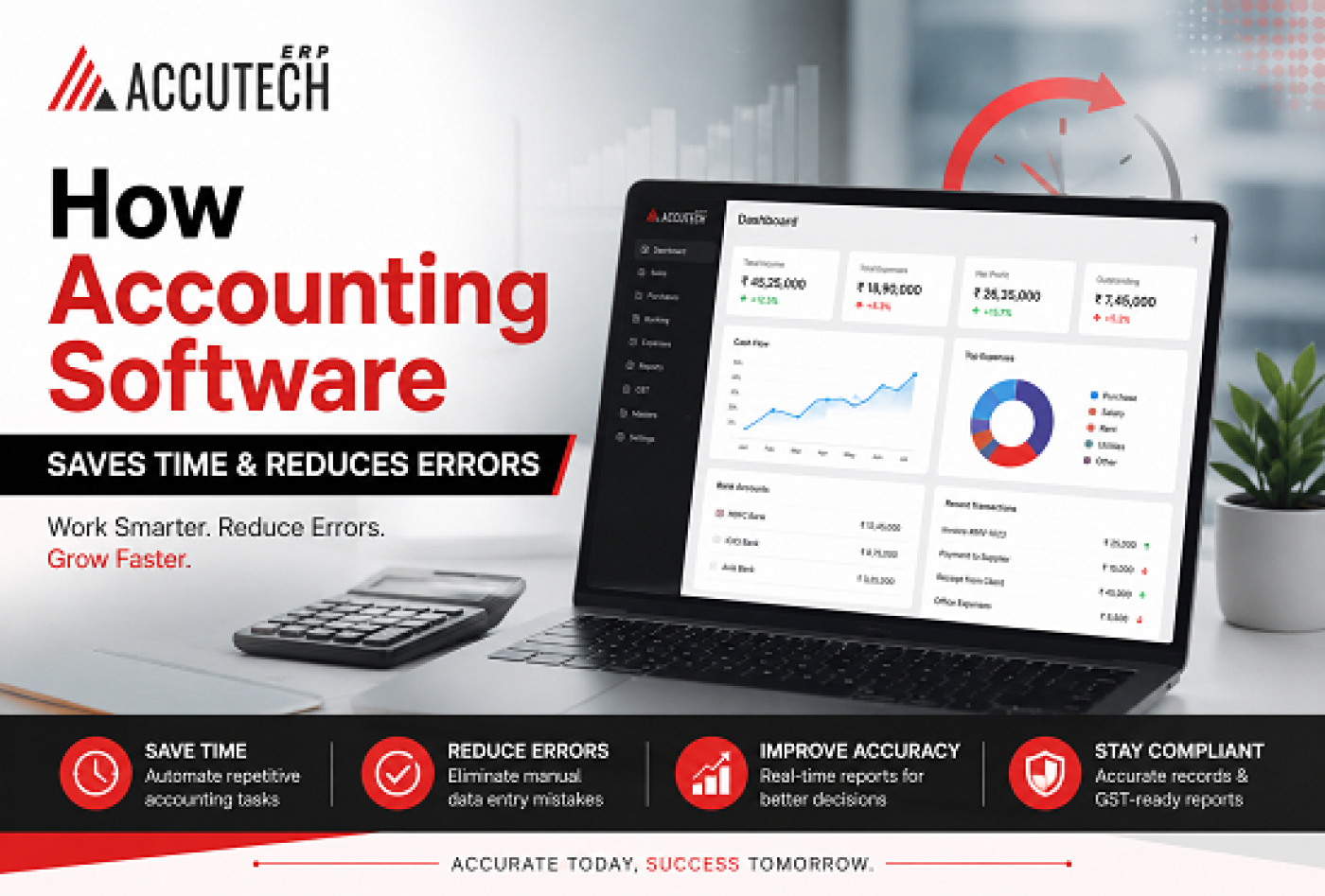
How many hours do you spend every month reconciling accounts manually? How often have you discovered a discrepancy that took days to trace back to its source? If you're like most business owners and finance professionals, the answer probably makes you wince.
There was a time when accounting meant hand-written ledgers, physical filing systems, and the constant anxiety that one small mistake could snowball into a financial nightmare. Many of us still work with remnants of that era spreadsheets that sprawl across dozens of tabs, duplicate data entry, manual reconciliation processes that consume entire workdays.
But here's what keeps most business leaders awake at night: it's not just the time. It's the errors. The small mistakes that accumulate. The invoice that gets recorded twice. The expense that gets miscategorized. The payment that somehow gets lost in the shuffle.
This is where accounting software in India has become more than just a convenience it's become essential. The right best accounting software doesn't just speed up your work. It fundamentally transforms how you manage your business's financial health.
In this comprehensive guide, I'll show you exactly how modern advance accounting ERP software saves you time, eliminates costly errors, and gives you the confidence that your financial records are accurate and trustworthy. Whether you're running a small business or managing a growing enterprise, this article will help you understand why thousands of Indian businesses have already made the switch.
The Hidden Cost of Manual Accounting: A Story That Might Sound Familiar
Let me tell you about Vikram. He owns a mid-sized retail chain across Mumbai with five stores. For years, he managed his accounting the traditional way. Each store manager would send him receipts, invoices, and sales reports. His accountant would sit with a calculator (yes, an actual calculator), manually entering numbers into spreadsheets.
One month, Vikram noticed a ₹5 lakh discrepancy in his accounts. Not a small error a significant amount that could indicate fraud or just simple mistakes. It took his accountant three weeks of painstaking work to find the issue: a single invoice had been entered twice, and a payment from one store had been misallocated.
"Three weeks of my accountant's time," Vikram told me later. "For a mistake that should have been caught immediately." Beyond the time cost, he spent that entire month in anxiety, wondering if there were more errors hiding in his books.
This is what manual accounting costs you. Not just the hours spent on data entry. The stress. The risk. The opportunity cost of having your finance team doing busywork instead of strategic thinking.
Time Savings: The Numbers Will Surprise You
Let's start with the most tangible benefit of best accounting software in India: it gives you back your time.
How Much Time Are You Losing?
Consider a typical accounting workflow without software:
- Data entry from invoices and receipts: 15-20 hours per week
- Bank reconciliation: 8-12 hours per week
- Report generation and analysis: 10-15 hours per week
- Chasing missing documents and clarifications: 5-10 hours per week
- Month-end closing and adjustments: 20-30 hours per month
Total: 40-60+ hours per week. For a team of 2-3 accountants, that's essentially one person's entire workweek just managing data and process overhead.
What Changes With Accounting Software
The leading accounting and billing software India automates these time-consuming processes:
- Automatic data capture: Invoices, receipts, and bills are scanned or imported automatically no manual entry needed
- Bank feed integration: Your bank transactions sync directly into the system, automatically matching to invoices
- One-click reconciliation: What takes hours manually now takes minutes
- Automated report generation: Financial statements are created instantly, not manually constructed
- Smart matching algorithms: The system intelligently matches payments to invoices, catching mismatches automatically
The result? What used to take 50+ hours per week now takes 10-15 hours. That's 35-40 hours per week nearly a full work week that you get back. For Vikram's business, that meant his accountant could focus on actual financial analysis instead of data entry.
Real-World Time Savings Example
Imagine your business processes 200 invoices per month. At 5 minutes per invoice for manual entry, that's 1,000 minutes (16+ hours) of data entry work. With accounting software in India, that process is automated. Those 16 hours are now available for:
- Cash flow analysis and forecasting
- Profitability analysis by product or service line
- Tax optimization strategies
- Cost reduction opportunities
- Strategic business planning
Error Reduction: Why Accuracy Matters More Than You Think
Here's a difficult truth: even the most careful accountants make mistakes. When you're manually entering hundreds of transactions, fatigue sets in. A number gets transposed. A decimal point ends up in the wrong place. An expense gets categorized incorrectly.
These aren't just small annoyances. Accounting errors compound. They create downstream problems: incorrect financial reports, wrong tax calculations, misallocated costs, and worst of all, lost trust in your financial data.
The Types of Errors Humans Make (And Software Prevents)
Transposition errors: Typing 4521 instead of 4251
Decimal errors: Recording ₹10,000 as ₹1,00,000
Duplicate entries: Recording the same invoice or payment twice
Categorization errors: Putting an expense in the wrong account
Timing errors: Recording a transaction in the wrong period
Allocation errors: Dividing costs incorrectly across multiple projects
How Advanced Accounting Software Prevents These Errors
The best advance accounting ERP software uses sophisticated validation rules and AI to catch errors before they become problems:
- Automated validation: The system checks that amounts are within expected ranges for each vendor/customer
- Duplicate detection: AI identifies when the same invoice is being entered twice
- Smart matching: Bank transactions are automatically matched to invoices if something doesn't match, you're alerted
- OCR accuracy: Optical character recognition extracts data from documents with 99%+ accuracy, preventing transcription errors
- Audit trails: Every change is logged with who made it and when errors are traceable
- Approval workflows: Multiple approval levels catch errors before they're finalized
The impact? Error rates drop from 2-5% (typical for manual systems) to 0.1% or lower with proper software. In a business with 10,000 transactions per year, that's the difference between 200-500 errors and just 10.
The Ripple Effect: How Error Reduction Protects Your Business
When your accounting is accurate, everything gets better. Let me show you why:
Better Decision-Making
You can trust your financial reports. When your P&L statement shows a 15% margin, you know that's real. When your cash flow projection says you'll need more working capital in Q3, you can plan accordingly. Errors in financial data lead to poor business decisions sometimes costly ones.
Tax Compliance and Audit Readiness
Accurate accounting means accurate tax filings. With leading accounting and billing software India, your GST returns are automatically calculated and reconciled. Your income tax records are audit-ready. When an auditor reviews your books, they find everything in order.
Faster Month-End Close
A typical business can reduce month-end close time from 10-15 days to 2-3 days. Why? Because reconciliation is already done, adjustments are automated, and reports generate instantly. This means you get financial data sooner, enabling faster business decisions.
Improved Cash Flow Management
When you can trust your accounting, you can see cash flow patterns clearly. You notice which customers are slow payers. You see seasonal trends. You can forecast accurately. All of this leads to better cash management and fewer surprises.
Real Business Transformations: How Companies Actually Use This
Case Study 1: The Manufacturing Business
Anjali runs a manufacturing business in Pune producing components for the automotive industry. She had 15 accounts payable to manage, dozens of cost centers, and complex inventory tracking. Before implementing best accounting software in India, her finance team spent two weeks on month-end close, and she never had accurate product costing data.
After implementing the software: Her month-end close is now 3 days. She can see exact costs per product line. She's identified ₹15 lakhs in unnecessary costs annually. Her accountant went from doing data entry to doing strategic analysis. She raised her profit margins by understanding her true costs.
Case Study 2: The Service Business
Ravi owns a consulting firm with 20 project-based assignments running simultaneously. Billing was a nightmare tracking hours, calculating project profitability, invoicing clients. His business was growing, but his accounting process wasn't scaling.
With accounting software in India specifically designed for service businesses: He automated time tracking and billing. He can see profitability by project instantly. His invoicing time went from hours per day to 15 minutes. He caught that one large client was actually unprofitable now he can renegotiate or let it go. His finance operations became efficient enough to support rapid scaling.
Beyond Spreadsheets: Why Excel Isn't Enough Anymore
Many businesses try to make spreadsheets work. Excel is powerful, but it's fundamentally limited for accounting:
- No integration: Data has to be manually transferred between systems
- No version control: Multiple people editing the same file leads to confusion and errors
- No audit trails: You can't see who changed what or when
- No validation: There's nothing stopping someone from entering garbage data
- No scalability: As transactions grow, spreadsheets become unmanageable
The best advance accounting ERP software solves all these problems. It's built specifically for accounting, with controls, validation, and integration at its core.
Myths vs. Facts About Accounting Software
Myth #1: 'Accounting software is only for large companies'
Fact: Small businesses benefit most. When you're small, every hour counts. A ₹20 lakh business with 500 invoices per year saves 50+ hours monthly with accounting software. That's enormous for a small team.
Myth #2: 'It's too complicated to implement'
Fact: Modern leading accounting and billing software India is designed for ease of use. Most small businesses can be up and running in 2-4 weeks. Training typically takes a few days, not months.
Myth #3: 'I'll lose control of my data'
Fact: You have complete control. Your data is yours. The software is a tool you use to manage it. You have full audit trails showing every transaction and every change. You can export your data anytime.
Myth #4: 'Accounting software is expensive'
Fact: The cost is usually recovered in time savings alone. If you save 40 hours per month at ₹500/hour, that's ₹20,000 in monthly value. Most accounting software costs ₹2,000-10,000 per month. ROI is typically achieved in 1-2 months.
Key Features That Drive Time Savings and Error Reduction
1. Automated Bank Feeds and Reconciliation
Your bank transactions sync directly into the system. The software automatically matches transactions to invoices and expenses. What used to take 5-10 hours per month takes 30 minutes. Errors virtually disappear because the matching is automatic and intelligent.
2. OCR and Invoice Automation
Drop an invoice into the system (or email it), and the software automatically extracts all relevant information: vendor name, date, amount, line items. No manual entry. 99%+ accuracy. For a business processing 200 invoices monthly, that's 16+ hours saved per month.
3. Smart Duplicate Detection
AI algorithms identify duplicate transactions automatically. This prevents the most common accounting error: recording the same transaction twice.
4. Approval Workflows
Set up multi-level approvals for expenses, invoices, or payments. This catches errors before they're finalized and maintains financial controls.
5. Automated Reconciliation Reports
The system generates reconciliation reports automatically, comparing your records to bank statements. Discrepancies are flagged immediately.
6. Real-Time Financial Dashboards
See your financial position at a glance: profit & loss, cash flow, accounts receivable aging, expense breakdown. All updated in real-time as transactions are entered.
7. Automated GST and Tax Calculations
Tax calculations are done automatically as you record transactions. GST returns can be generated with a few clicks. No more manual tax calculations, no compliance errors.
Frequently Asked Questions
Q1: Will I still need an accountant if I implement accounting software?
Absolutely. Software doesn't replace accountants it empowers them. They'll move from data entry to advisory work: tax planning, financial analysis, business strategy. This actually makes your accountant more valuable.
Q2: How secure is my financial data in the cloud?
Professional accounting software uses enterprise-grade security: AES-256 encryption, regular backups, disaster recovery, and compliance with banking standards. Your data is actually safer in the cloud than on your local computer.
Q3: How long does it take to implement accounting software?
For small businesses, typically 2-4 weeks. Larger businesses with complex needs might need 4-8 weeks. Implementation includes data migration, setup, training, and testing. Most providers offer support throughout the process.
Q4: What about integrating with other software I use?
The best accounting software in India integrates with CRM systems, inventory management, project management tools, payroll software, and banking platforms. Check integration capabilities before choosing.
Q5: Can multiple people use the software simultaneously?
Yes. Cloud-based systems allow multiple users to work simultaneously. You control access levels: some people might see everything, while others see only their relevant departments.
Q6: What happens if I want to switch software later?
Most accounting software allows you to export your data in standard formats. You're not locked in. However, once you experience the benefits, most users don't want to switch.
Q7: Is there a learning curve?
Modern accounting software is designed for user-friendliness. Most users become competent within a few days. Providers offer training, tutorials, and support documentation.
Q8: How does this help with audit compliance?
Accounting software maintains complete audit trails, so auditors can see every transaction, every change, and every approval. This makes audits faster and easier. Your records are audit-ready at all times.
Q9: Can I use accounting software if I have a GST return requirement?
Yes. In fact, choosing leading accounting and billing software India specifically designed for GST compliance is crucial. The software automatically calculates SGST, CGST, IGST, and generates GST returns correctly.
Q10: What's the real return on investment?
Most businesses see ROI within 1-2 months just from time savings. Add error reduction (preventing costly mistakes), better cash management, and improved decision-making, and the value becomes substantial. Many businesses save ₹5-10 lakhs annually in efficiency gains and error prevention.
The Wellness Angle: Why Financial Health Matters to You Personally
Here's something that doesn't get discussed enough: poor accounting creates stress. The anxiety of wondering if your books are accurate. The dread of month-end close. The fear of making a mistake that has legal consequences. The constant worry that you might be missing something.
This is financial stress, and it affects your mental health and wellbeing. When you implement proper advance accounting ERP software, that stress largely goes away. You know your financial data is accurate. You know your records are compliant. You know nothing is being missed.
Business owners report that this peace of mind alone is worth the investment. You can sleep better knowing your accounting is under control.
Choosing the Right Accounting Software for Your Business
Not all accounting software is created equal. When evaluating options, consider:
- Ease of use: Can your team learn it quickly? Try the demo yourself.
- GST compliance: Critical for Indian businesses. Ensure it handles all GST requirements.
- Bank integration: Does it sync with your banks? This is huge for saving time.
- Scalability: Will it grow with your business? Can you add users, entities, or features later?
- Integration capabilities: Does it connect with tools you currently use?
- Support quality: Do they provide good training and ongoing support?
- Cost: What's included? Are there hidden fees? What's the real cost of ownership?
- Data security: Are your records encrypted? Are they backed up? What's the disaster recovery process?
The Bottom Line: Time and Accuracy Are Non-Negotiable
In today's business environment, you can't afford to lose time to manual accounting processes. You can't afford errors that damage your decision-making. You can't afford the stress of wondering if your financial records are accurate.
The best accounting software in India isn't a luxury it's a necessity. It gives you back 40+ hours per month, reduces errors from 2-5% to under 0.1%, and ensures your financial data is trustworthy and compliant.
For Vikram with his retail chain, Anjali with her manufacturing business, and Ravi with his consulting firm, the investment in proper accounting software in India was the best decision they made for their businesses.