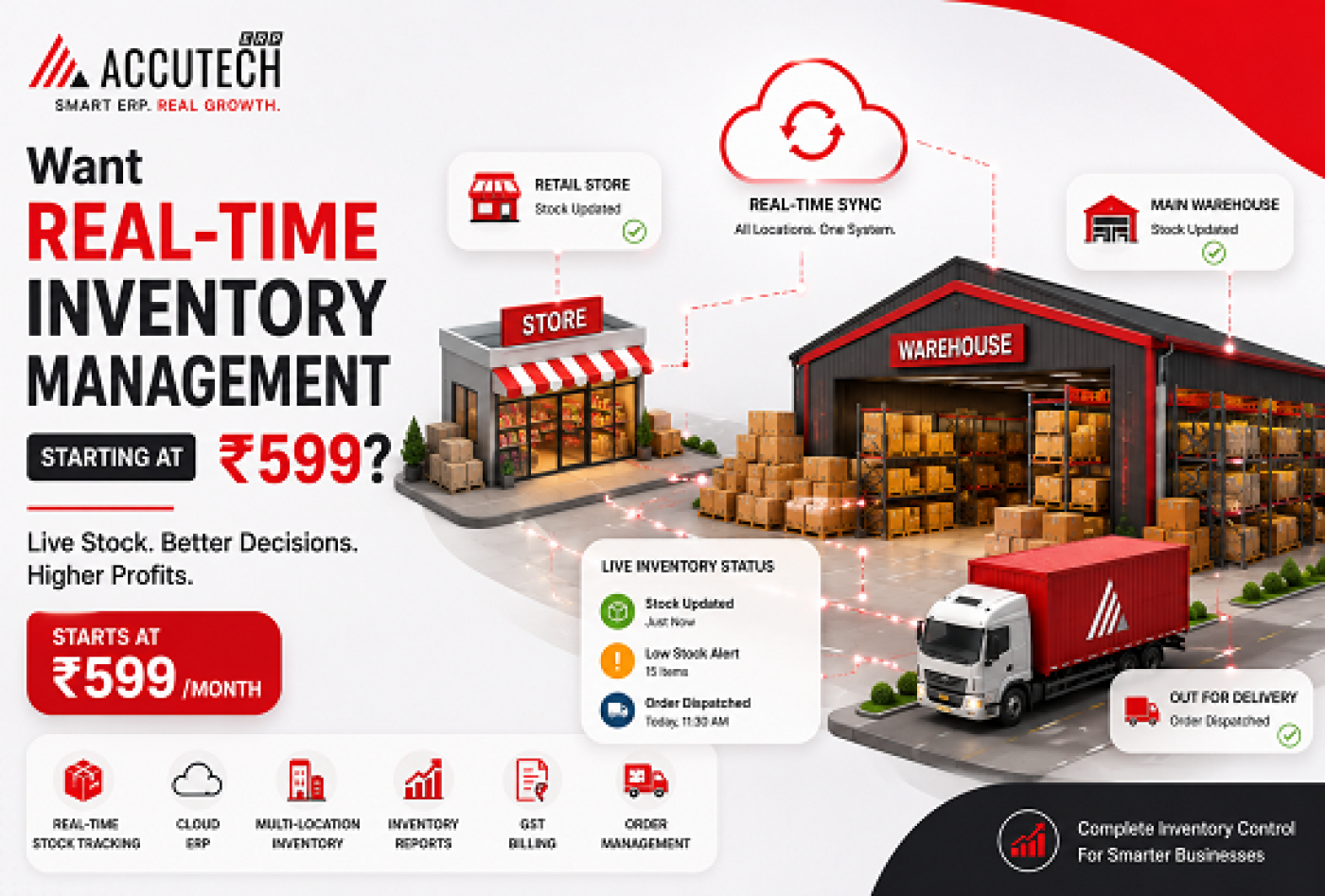
Inventory management is the backbone of any successful business. Whether you run a FMCG distribution network, a pharmaceutical enterprise, or a busy retail store, knowing exactly what you have in stock at any given moment can mean the difference between thriving and struggling.
But here's the reality that keeps most small business owners awake at night: traditional inventory management systems are expensive, complicated, and often outdated. Many businesses still rely on spreadsheets, manual counts, and fragmented software solutions that don't talk to each other. The result? Lost inventory, missed sales, compliance issues, and wasted time.
What if we told you there's a solution that transforms your entire inventory operation real-time tracking, automated reconciliation, GST compliance, and multi-location management and it starts at just ₹599 per month?
This isn't a gimmick. Cloud-based ERP solutions like Accutech ERP have fundamentally changed what affordable inventory management looks like in 2026. In this comprehensive guide, we'll show you exactly how real-time inventory management works, why it matters for your bottom line, and how to implement it without breaking the bank.
2. What is Real-Time Inventory Management? A Practical Definition
Real-time inventory management refers to a system where your stock levels, product movements, and warehouse data are updated instantly as transactions occur. Unlike traditional batch-processing systems that update information at end-of-day or end-of-week, real-time systems give you live visibility into your entire inventory ecosystem.
How It Actually Works:
When a product is sold whether at a retail counter, through a distributor, or via online channel the software instantly records:
- Stock quantity reduction
- Transaction details (date, time, customer, price)
- Profit/loss calculations
- Automatic low-stock alerts
- Financial ledger updates
This means your managers, accountants, and field teams all see the same data at the same moment. No more conflicting information. No more surprises.
3. Why ₹599 ERP Software is a Game-Changer for Indian Businesses
Let's address the elephant in the room: ₹599 per month sounds almost too good to be true. Traditional ERP systems cost ₹50,000 to ₹5,00,000 upfront, plus annual maintenance. So what's changed?
Cloud Computing Revolution:
Cloud-based ERP eliminates infrastructure costs. There's no server to buy, no IT team to manage, no security headaches. You're paying for the software as a service (SaaS), and the vendor handles updates, security, and scalability.
Why This Benefits Small & Medium Indian Businesses:
- Zero Upfront Capital: Start with just ₹599/month instead of ₹2-3 lakhs
- Instant Setup: Go live in days, not months
- Scale as You Grow: Add users, branches, features without massive expenses
- GST Compliance Built-In: Indian tax laws change frequently cloud ERP handles updates automatically
- Mobile-First Access: Your team can manage inventory from anywhere
4. Key Features of Budget-Friendly Cloud-Based Inventory Software
Don't let the low price fool you. Modern affordable ERP solutions pack enterprise-grade features:
Feature Comparison Table:
Feature | Traditional ERP | Accutech ERP |
Real-Time Inventory | Sometimes (with delays) | ✓ Yes |
Multi-Location Support | Expensive add-on | ✓ Included |
GST Compliance | Manual configuration | ✓ Automated |
Mobile Access | Limited | ✓ Full Access |
Setup Time | 3-6 months | ✓ 1-2 weeks |
Monthly Cost | ₹10,000 - ₹50,000+ | ✓ ₹599 |
Core Features That Come Standard:
- Real-Time Stock Tracking: Know inventory levels instantly across all locations
- Automated Purchase Alerts: Get notified when stock falls below minimum levels
- Multi-Location Management: Centralized control of all branches from one dashboard
- Batch & Serial Tracking: Perfect for pharma and FMCG with expiry management
- GST-Ready Invoicing: Create compliant invoices in seconds
- Barcode Support: Scan products for faster updates (integrates with standard scanners)
- Sales Reports: Drill down into customer trends, product performance, and profitability
- Financial Integration: Direct sync with your accounting ledger
5. Real-Time Inventory Tracking: How It Works & Why It Matters
Let's walk through a practical example to show how real-time inventory management transforms daily operations.
Scenario: A FMCG distributor with 3 branches and 50+ SKUs
Without Real-Time Inventory (The Old Way):
- 10:00 AM: Delhi branch sells 100 units of Product X
- Entry made in Excel by branch manager
- 5:00 PM: Accountant at HQ consolidates data from all branches
- Result: Incomplete information for ordering decisions
With Real-Time Inventory (Accutech ERPWay):
- 10:00:05 AM: Sale recorded via POS or Accutech ERP mobile app
- 10:00:06 AM: Central inventory dashboard updates globally (visible to all users)
- 10:00:07 AM: If stock falls below threshold, purchase alert automatically generated
- 10:00:08 AM: Finance team sees updated profit/loss instantly
Why This Matters for Your Bottom Line:
- Prevents Stockouts: You never miss a sale because you didn't know stock was low
- Eliminates Overstock: No more tying up cash in dead inventory or products near expiry
- Improves Cash Flow: Exact data helps you order the right quantity at the right time
- Faster Decision-Making: Managers can respond to trends instantly instead of waiting for reports
6. Industry-Specific Benefits: FMCG, Pharma, Retail & Manufacturing
Different industries face unique inventory challenges. Here's how affordable cloud ERP solutions address them:
For FMCG Distribution:
- Challenge: Managing thousands of SKUs across multiple C&F agents and retail points
- Solution: Multi-location support with centralized price management and scheme tracking
- Benefit: Reduce distribution inefficiency by 40%, prevent channel conflicts with real-time visibility
For Pharmaceutical Companies:
- Challenge: Complex batch tracking, expiry management, and regulatory compliance (FSSAI, FDA, etc.)
- Solution: Automatic expiry alerts, batch/serial number tracking, compliance-ready reports
- Benefit: Eliminate wastage from expired products, streamline regulatory audits, prevent costly recalls
For Retail Stores (Kirana to Supermarket):
- Challenge: Manual billing, inventory mismatches between system and physical count
- Solution: GST-ready invoicing, quick reconciliation reports, category-wise profitability analysis
- Benefit: Faster checkout, accurate GST filing in minutes, spot high-margin products for promotion
For Manufacturing:
- Challenge: Tracking raw materials, WIP, and finished goods across production floors
- Solution: Multi-warehouse support, component-level tracking, production-linked inventory updates
- Benefit: Reduce production delays, optimize raw material purchasing, improve production cost visibility
7. Step-by-Step Guide: Setting Up Your First Inventory with Accutech ERP
Getting started is simpler than you think. Here's the process:
Step 1: Sign Up for Free Trial (Takes 2 Minutes)
- Visit accutecherp.com
- Click 'Request Demo' or start your 30-day free trial
- No credit card required
Step 2: Configure Your Company Profile (Takes 15 Minutes)
- Enter company name, GST number, and banking details
- Set up locations/branches
- Define user roles (Admin, Manager, Accountant, Sales User)
Step 3: Create Your Product Master (Takes 30-60 Minutes)
- List all products with SKU, unit, HSN code, and tax rates
- Pro tip: Use bulk import feature (Excel upload) to add products faster
- Set minimum stock levels for each product
Step 4: Input Opening Inventory (Takes 1-2 Hours)
- Count your current stock across all locations
- Enter opening balances into Accutech
- For pharma/FMCG: Input batch numbers and expiry dates
Step 5: Add Suppliers & Customers (Takes 30 Minutes)
- Create supplier profiles with GST numbers
- Set credit limits and payment terms
- Add key customer information
Step 6: Train Your Team (Takes 1-2 Hours)
- Accutech provides video tutorials and live training
- Show your team how to enter sales, purchases, and check inventory
- Hands-on practice period: 1-2 weeks recommended
Step 7: Go Live (Takes 1 Day)
- Switch from your old system to Accutech
- Monitor the first week closely
- Accutech support team is available 24/7
8. Inventory Management Best Practices for Maximum ROI
Having a great ERP system is step one. Here's how to use it to maximize your returns:
Best Practice #1: Regular Physical Counts & Reconciliation
Even with real-time tracking, do monthly stock verifications. This catches shrinkage, theft, or data entry errors. Accutech makes reconciliation simple generate a discrepancy report with one click.
Best Practice #2: Set Optimal Reorder Points
Use Accutech's sales velocity analysis to calculate the perfect reorder quantity. Too low = stockouts. Too high = working capital waste.
Best Practice #3: Implement ABC Inventory Classification
Categorize products by their value and turnover rate:
- Class A (High-value, fast-moving): Weekly review
- Class B (Medium-value): Bi-weekly review
- Class C (Low-value, slow-moving): Monthly review
Best Practice #4: Monitor Inventory Turnover Ratio
Calculate: (COGS) ÷ (Average Inventory) = Turnover Ratio
Higher is better it means you're converting inventory to sales faster. Accutech dashboards show this automatically.
Best Practice #5: Track Inventory Holding Costs
Include storage, insurance, and spoilage in your cost analysis. Dead inventory is cash sitting idle.
Best Practice #6: Use Seasonal Demand Forecasting
For FMCG and seasonal products, analyze historical data to predict peaks and plan accordingly.
9. Common Inventory Mistakes to Avoid
Even with the best software, many businesses still trip up. Here are costly mistakes to avoid:
Mistake #1: Poor Data Entry Habits
Garbage in = Garbage out. Train your team to enter data accurately and consistently.
Fix: Implement daily entry standards and weekly audits
Mistake #2: Ignoring Slow-Moving Inventory
Products that sit for months waste capital. For perishables (pharma, FMCG), this is financial suicide.
Fix: Run slow-moving inventory reports monthly and plan clearance sales
Mistake #3: Not Using Mobile Access
Field teams stuck checking inventory via calls and WhatsApp. This causes delays and errors.
Fix: Use the Accutech mobile app to empower your team with real-time data anywhere
Mistake #4: Inadequate Expiry Management (Pharma/FMCG)
Selling expired products is illegal and destroys brand trust. Manual tracking is error-prone.
Fix: Use Accutech's batch tracking with automatic expiry alerts
Mistake #5: Skipping Inventory Audits
System numbers and physical reality drift apart without regular checks.
Fix: Conduct quarterly cycle counts or annual complete inventory verification
10. Comparing Budget ERP Solutions: What Makes Accutech Different
Many software companies claim to be affordable. Here's what makes Accutech stand out:
Comparison: Accutech vs. Other Budget ERP Solutions
Feature | Accutech ERP | Competitor A | Competitor B |
Starting Price | ₹599/month | ₹1,500/month | ₹999/month |
GST Compliance | Automated | Manual config | Automated |
Mobile App | Included | Extra ₹500 | Included |
Multi-Location | Unlimited | Limited | Limited |
Setup Time | 1-2 weeks | 3-4 weeks | 2-3 weeks |
Support | 24/7 In-house | Business hours | 24/7 Outsourced |
Free Trial | 30 days | 14 days | 7 days |
Why Accutech is the Right Choice:
- Purpose-Built for Indian Businesses: Developed with deep understanding of GST, tax compliance, and Indian industry needs
- Industry-Specific Solutions: Tailored modules for pharma, FMCG, retail, and manufacturing
- Truly Affordable: ₹599 is not a bait price it includes inventory, accounting, and GST billing
- Real-Time Innovation: Accutech ERP continuously updates features to match regulatory changes
- Customer-Centric Support: Live chat, video calls, and dedicated account managers available
11. Frequently Asked Questions (FAQs)
Q1: Is Accutech ERP suitable for startups?
Yes, absolutely. Accutech ERP is designed for businesses of all sizes. Many startups use it because of the low ₹599/month price, no long-term contract requirements, and ability to scale as you grow. You can start with basic features and add more modules as needed.
Q2: How is my data secure in the cloud?
Accutech ERP uses enterprise-grade security including SSL encryption, regular security audits, and compliance with Indian data protection standards. Your data is backed up automatically and can be restored instantly. Unlike local servers, cloud systems have redundancy and automatic disaster recovery.
Q3: Can I integrate Accutech with my existing systems?
Accutech offers integrations with banking systems for automated transaction reconciliation. It also provides Excel import/export for seamless data transfer. Custom API integrations are available for enterprise clients.
Q4: How does Accutech handle GST compliance?
Accutech ERP automatically generates GST-compliant invoices, maintains detailed sales/purchase registers, and generates GSTR-1 and GSTR-2A reports. When GST rules change (rates, thresholds, etc.), Accutech updates automatically with no manual reconfiguration needed.
Q5: What if I have questions during setup or usage?
Accutech ERP provides 24/7 phone support, live chat support, video training sessions, and a comprehensive knowledge base. Your dedicated account manager will help ensure smooth implementation and onboarding.
Q6: Can multiple users access Accutech ERP simultaneously?
Yes. Accutech ERP supports multiple concurrent users with role-based access. You can define permissions for each user, some can only view reports, others can edit inventory, and admins have full control. This prevents unauthorized changes while enabling collaboration.
Q7: Is there a contract lock-in period?
No. Accutech operates on a month-to-month basis. You can cancel anytime without penalties. This gives you complete flexibility if you want to test before committing long-term.
Q8: How quickly can I go live with Accutech ERP?
Most businesses go live within 1-2 weeks. Setup includes company configuration, product master creation, opening inventory entry, and team training. Accutech's implementation team guides you through each step.
Q9: Does Accutech ERP work on mobile?
Yes. Accutech ERP is fully mobile-responsive on smartphones and tablets. Field sales teams can check inventory, create orders, and update stock on the go. The mobile app works both online and offline with automatic sync when connection is restored.
Q10: What industries does Accutech ERP serve?
Accutech ERP serves diverse industries including FMCG distribution, pharmaceutical wholesale and PCD franchises, retail (kirana to supermarket), manufacturing, food and beverage, medical devices, and more. Each industry gets tailored features specific to their needs.
12. Conclusion:
In 2026, there's no excuse for manual inventory management. The technology is affordable, the implementation is fast, and the ROI is measurable.
Real-time inventory management at just ₹599/month represents a fundamental shift in what's possible for small and medium businesses in India. Whether you're a struggling retail store, a growth-stage FMCG distributor, or a scaling pharma company, Accutech ERP gives you enterprise-class visibility and control without the enterprise-class price tag.
The businesses that will thrive in the next 5 years are those that embrace data-driven decision making. Real-time inventory data is the foundation of everything: accurate forecasting, optimized purchasing, better cash flow management, and compliance certainty.