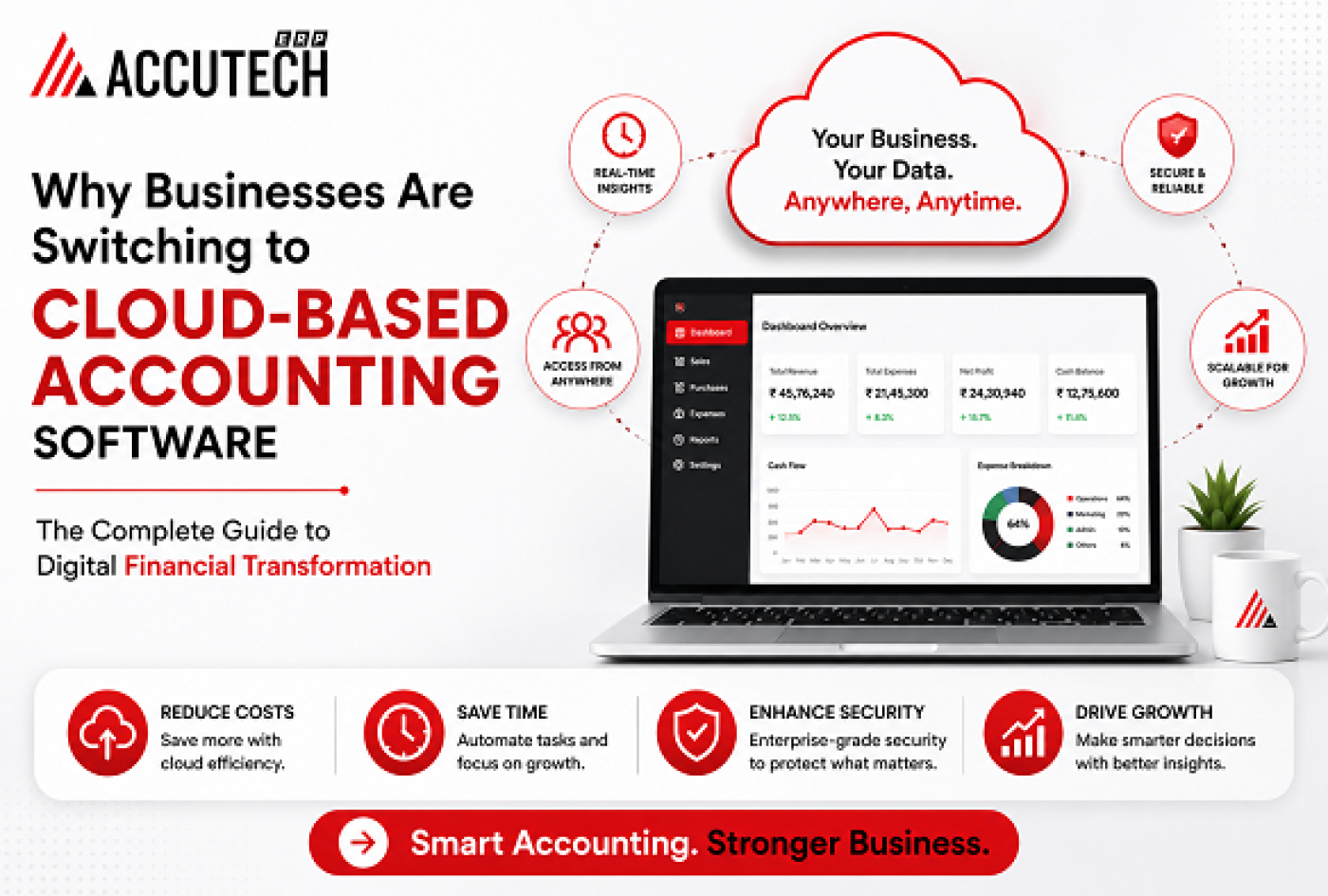
Remember when your accountant needed to physically visit your office to update the books? Or when you'd spend hours every month reconciling spreadsheets manually? Those days are rapidly becoming a distant memory. In 2026, the accounting landscape has fundamentally transformed, and businesses of all sizes are making the decisive shift towards cloud-based solutions.
The transition isn't just a technological upgrade it's a complete reimagining of how businesses manage their financial health. Whether you're a small startup with three employees or a mid-sized corporation managing complex operations across multiple locations, the question is no longer "Should we consider cloud accounting?" but rather "Why haven't we made the switch yet?"
Let me share a story that captures this shift perfectly. Sarah, a business owner I spoke with, spent every Friday afternoon stuck in her office reconciling accounts. She used separate software for invoicing, expense tracking, and financial reporting. Then, in 2025, her team implemented a cloud-based accounting software solution. Today, that same task takes 45 minutes, and she can access her company's financial status from her phone while on holiday. Her story isn't unique it's becoming the norm.
In this comprehensive guide, we'll explore why thousands of businesses are making this transition, how it works, what benefits they're experiencing, and most importantly, how you can determine if it's right for your organization.
Why Businesses Are Switching to Cloud Accounting Solutions
The shift to cloud solutions isn't happening by accident. There are concrete, measurable reasons why forward-thinking businesses are making this move. Understanding these drivers helps you see beyond the marketing hype to the real business value.
1. Real-Time Financial Visibility
One of the most transformative aspects of cloud accounting software is the ability to see your financial data in real-time. Traditional on-premise systems require manual data entry, downloads, and reconciliations. By the time your financial reports are ready, the data is already outdated.
With cloud solutions, every transaction whether it's a sale, expense, or payment is recorded instantly and accessible immediately. Imagine being able to check your accounts receivable, cash flow position, and profit margins at any moment, from anywhere. This isn't a luxury; it's becoming essential for competitive advantage.
CFOs and financial leaders we've spoken with consistently mention that this real-time visibility has fundamentally changed how they make decisions. Rather than waiting for month-end reports, they can adjust strategies based on current data.
2. Substantial Cost Reduction
Let's talk money. The financial argument for switching is compelling. Traditional on-premise accounting systems require significant upfront investment in software licenses, server infrastructure, and IT staff to manage it all. There are ongoing costs for maintenance, upgrades, and security patches.
Cloud solutions operate on a different model. Most are subscription-based, meaning you pay monthly or annually based on usage. There's no massive capital expenditure, no need for dedicated IT personnel to manage servers, and no surprise upgrade costs.
Businesses report reducing their accounting software costs by 30-50% within the first year. Beyond direct software costs, the ripple effects are significant. Your IT team has fewer systems to maintain. Your finance team spends less time on data entry and manual reconciliation. These efficiency gains translate directly to the bottom line.
3. Remote Work Enablement
The pandemic accelerated a trend that's now permanent: distributed workforces. Your accounting team no longer sits in one office. Team members might be in different cities, different countries, or working hybrid schedules.
Traditional systems create friction in this environment. Remote access often requires VPNs, complex security configurations, and technical support. Cloud solutions are built for this world. Your accountants can work from anywhere with just a web browser and internet connection. Security is built into the platform, not an add-on.
This capability has proven invaluable for businesses scaling their teams globally. One company we know expanded its finance operations to a new country and was able to integrate the new team with no infrastructure setup just new user accounts.
4. Scalability Without Infrastructure Headaches
Your business is growing (that's the plan, right?). But traditional accounting systems don't scale gracefully. Adding new locations, expanding transaction volume, or increasing user count often requires IT upgrades, additional servers, or license purchases.
Cloud systems scale automatically. As your business grows, the infrastructure grows with you. You add more users, process more transactions, and expand to new locations without worrying about technical limitations. This is one of the reasons why cloud erp accounting solutions are especially popular with growing businesses.
5. Enhanced Security and Compliance
Many business owners hesitate at the idea of their financial data living in "the cloud." It feels less secure than on-premise systems. This assumption is backwards.
Leading cloud providers invest hundreds of millions in security infrastructure. They employ teams of security experts, maintain multiple data centers with redundancy, implement advanced encryption, and conduct regular security audits. Most small to mid-size businesses couldn't replicate this security level internally, even with dedicated IT staff.
Beyond security, cloud solutions often simplify compliance. Whether it's GST compliance in India (crucial for cloud accounting software india users), tax regulations, or data protection laws, cloud providers regularly update their systems to meet changing requirements. You get compliance without the complexity.
The Evolution of Accounting Technology: From Spreadsheets to Intelligent Systems
To understand why cloud solutions are becoming dominant, it helps to see where accounting has come from.
Phase 1: The Spreadsheet Era (Pre-2000s)
Excel was revolutionary. Accountants could create formulas, automate calculations, and organize financial data. But spreadsheets have fundamental limitations: they're prone to errors, difficult to audit, don't enforce data consistency, and create security nightmares when shared via email.
Phase 2: The On-Premise Software Era (2000s-2015)
Enterprise resource planning (ERP) systems brought structure. Companies like SAP and Oracle offered comprehensive solutions, but they required massive upfront investments, lengthy implementation projects (often 2-3 years), and dedicated IT teams. They were powerful but inflexible, expensive, and slow to update.
Phase 3: The Cloud Revolution (2015-Present)
Cloud-based solutions brought the power of enterprise systems to businesses of all sizes. Fast to implement, affordable to maintain, and constantly updated with new features. Today’s
leading cloud accounting software offerings combine the capabilities of legacy ERP systems with the flexibility and affordability of modern cloud architecture.
The 2026 Advantage: AI-Powered Intelligence
What's exciting about 2026 is that the latest generation of cloud accounting solutions incorporate artificial intelligence. Automated invoice processing, anomaly detection in transactions, predictive cash flow forecasting, and intelligent categorization of expenses are no longer "nice to have" they're expected features.
These AI capabilities are transforming accounting from a backward-looking recording function into a forward-looking strategic tool. Rather than spending time recording transactions, accountants can focus on analysis and strategy.
Comprehensive Benefits: What You Actually Gain
Let's get specific about the benefits businesses are experiencing. These aren't theoretical advantages they're what companies report after implementing cloud solutions.
Efficiency and Time Savings
- Manual data entry is eliminated or dramatically reduced through automation
- Monthly close processes that took weeks now complete in days
- Reconciliation becomes faster with automated matching capabilities
- Integration with banking systems reduces manual bank reconciliation
Financial Insights and Decision-Making
- Customizable dashboards show key metrics at a glance
- Drill-down capabilities allow instant investigation of numbers
- Forecasting tools help predict cash flow and growth
- Profitability analysis at customer, product, and division level
Operational Excellence
- Standardized processes across multiple locations or subsidiaries
- Audit trails provide complete transparency of all financial transactions
- Approval workflows enforce proper authorization and controls
- Role-based access ensures confidentiality and security
Cloud vs. Traditional Accounting Software: Direct Comparison
To help you make an informed decision, here's a detailed comparison of how cloud solutions stack up against traditional on-premise systems.
Feature | Cloud-Based | Traditional On-Premise |
Implementation Time | 4-12 weeks | 6-24 months |
Upfront Cost | Low to moderate | High (licenses + setup) |
Monthly Cost | Subscription-based | Fixed + variable |
Updates & Maintenance | Automatic, frequent | Manual, IT-intensive |
Data Accessibility | From anywhere, anytime | On-site primarily |
Real-Life Stories: How Businesses Are Transforming With Cloud Solutions
Numbers tell one story. Real businesses tell another. Here are three examples of how different organizations have benefited from switching to cloud-based solutions.
Case Study 1: Rapid Growth Manufacturing Company
A manufacturing business with 15 million in annual revenue was managing finances across two facilities using legacy ERP software. Their team spent 40+ hours per month on manual processes: downloading data from multiple systems, reconciling, creating reports.
After implementing a cloud erp accounting solution, they reduced those manual hours to 8 hours per month. They gained real-time visibility into inventory costs, which helped them identify over 200,000 in annual savings opportunities. The finance team shifted focus from data entry to strategic analysis.
Case Study 2: Digital Marketing Agency
A growing digital agency with team members across four countries was drowning in accounting complexity. They used three different tools for invoicing, expense tracking, and financial reporting. Remote team members couldn't easily access financial data.
A cloud-based accounting software solution unified their operations. Now, every team member can see key metrics. The CEO can monitor profitability and cash flow from her phone. Integration with their project management tool automated invoice generation. They reduced accounting overhead by 35%.
Case Study 3: B2B Services Company in India
A B2B services company serving international clients needed to manage GST compliance, track multi-currency transactions, and generate reports for both Indian authorities and foreign investors. They were using QuickBooks, which struggled with Indian tax requirements.
They switched to leading cloud accounting software india designed for Indian businesses. The system now automatically applies GST calculations, generates compliant tax reports, and handles multi-currency conversions with current rates. Their tax accountant now spends 15 hours per month on compliance (down from 35) and their audit process is simpler and faster.
Myths vs. Facts: Addressing Common Concerns About Cloud Accounting
Let's address the concerns and misconceptions keeping some businesses from making the switch.
Myth 1: "Cloud is less secure than on-premise systems"
Fact: This is backwards.
Cloud providers employ dedicated security teams, maintain multiple backups, use 256-bit encryption, and conduct regular security audits. Most small to mid-size businesses can't afford the security infrastructure cloud providers have. Additionally, cloud systems have automatic security patches, while on-premise systems require manual updates.
Myth 2: "Cloud solutions are too complicated for our team"
Fact: Modern cloud accounting software is designed for ease of use.
The interface is intuitive, built on modern web standards. Your accounting team won't need special training if they're familiar with software like Excel. Most vendors provide extensive documentation, video tutorials, and customer support. Implementation typically takes 4-12 weeks, not the 6-24 months required for traditional systems.
Myth 3: "We'll lose control of our data"
Fact: You maintain complete control through role-based access, audit trails, and permissions.
You can see exactly who accessed what, when, and what changes they made. Most vendors allow data export at any time. If you need to switch systems later, your data remains yours. This is far more transparent than traditional systems where IT staff have direct database access.
Myth 4: "Cloud solutions are only for large enterprises"
Fact: Cloud solutions scale from small to large businesses.
A 5-person startup and a 500-person company can both use the same platform. Pricing is flexible most vendors offer tiered plans based on users, features, or transaction volume. Small businesses often find cloud solutions more affordable than traditional options.
Myth 5: "We're dependent on internet connectivity"
Fact: Internet reliability is now extremely high in most areas.
Even if you lose connectivity, many cloud systems have offline modes that sync data when reconnected. More importantly, internet downtime affecting your business operations is increasingly rare most modern businesses are already internet-dependent for email, communication, and other tools.
How to Make the Switch: A Practical Implementation Guide
Ready to switch? Here's a practical roadmap for implementing cloud accounting software successfully.
Phase 1: Assess and Plan (Weeks 1-2)
- Define requirements: What specific challenges are you trying to solve? List must-have features.
- Evaluate vendors: Look at 3-5 options. Request demos. Read reviews. Ask for references.
- Calculate total cost of ownership: Include software, implementation, training, and time investment.
- Get buy-in: Ensure leadership and your finance team are aligned on the benefits and change.
Phase 2: Prepare Your Data (Weeks 3-6)
- Audit current data: Identify inactive accounts, incorrect entries, and outdated information that shouldn't transfer.
- Clean historical data: Fix errors, consolidate duplicate vendors/customers, standardize formats.
- Create a chart of accounts: Align with your new system's standards. This is your financial structure.
- Document your processes: Write down how you currently handle invoicing, expense approval, month-end, etc.
Phase 3: Configure and Test (Weeks 7-10)
- Configure the system: Set up accounts, users, permissions, workflows, and integrations.
- Migrate historical data: Move prior year balances and transactions your team needs access to.
- Test thoroughly: Have your team try real workflows before going live. Identify and fix issues.
- Train your team: Conduct hands-on training with actual data. Provide documentation and job aids.
Phase 4: Go Live and Optimize (Week 11+)
- Set a cutover date: Plan for when you'll stop using the old system and go live with the new one.
- Prepare a communication plan: Ensure everyone knows the timeline, their role, and who to contact for support.
- Plan for a quiet period: It's wise to go live before month-end, giving time to work out issues.
- Monitor closely: Have experienced users available during the first two weeks for immediate support.
- Document lessons learned: Capture what worked, what surprised you, and what to improve for next time.
Frequently Asked Questions
Q1: What size business needs cloud accounting software?
Any business with multiple transactions, employees, or growth aspirations benefits from cloud solutions. Startups with just a founder and freelancers use cloud systems. So do enterprises with thousands of employees. It's not about size it's about complexity and growth.
Q2: How much does cloud accounting software cost?
Pricing varies widely. Small businesses might pay 50-200 per month for basic plans. Mid-market companies typically pay 200-1000+ per month depending on features and users. Remember to compare total cost of ownership: software, implementation, training, and IT support. Cloud solutions are often less expensive overall than on-premise alternatives.
Q3: Can we integrate cloud accounting with our existing systems?
Yes. Most modern cloud solutions have APIs and pre-built integrations with common software like CRM systems, project management tools, payment processors, and business intelligence platforms. Discuss integration requirements with vendors before selecting a solution.
Q4: What happens to our data if the vendor goes out of business?
This is a fair concern, though it's increasingly rare for established vendors to fail. Most vendors allow data export at any time. Ask potential vendors about their data export capabilities and succession plans. Choose established providers with multiple funding rounds or profitable operations.
Q5: Is it difficult to switch between cloud accounting systems later?
Switching requires effort you'll need to export data from the old system and import into the new one but it's absolutely possible. Keep this in mind when selecting a vendor. Established vendors with export capabilities make switching easier. It's not a permanent lock-in the way some legacy systems are.
Q6: Which cloud accounting software is best for businesses in India?
For Indian businesses, look for solutions specifically designed for Indian compliance requirements. These systems understand GST, manage IT compliance, handle Indian bank integrations, and support Indian tax rules. Solutions like Tally, Zoho Books, and other
leading cloud accounting software india options are purpose-built for this market. For international operations, consider global platforms that support India's requirements.
Practical Tips for Maximizing Your Cloud Accounting Investment
1. Automate Everything Possible
One of the biggest advantages of cloud systems is their automation capabilities. Use rules to automatically categorize expenses, match invoices to payments, and generate recurring entries. Every hour your team saves on manual data entry is an hour they can spend on analysis and decision support.
2. Create Dashboards That Matter
Don't just use the default reports. Create custom dashboards that track what matters for your business. Are you tracking gross profit by product line? Cash burn rate by department? Key metrics for your industry? The best cloud systems are flexible enough to show what matters most to your leadership team.
3. Integrate With Your Operational Systems
The power of cloud accounting multiplies when integrated with your other systems. Connect your CRM so revenue data flows automatically. Connect project management so project costs are tracked. Connect your payroll system. Each integration eliminates data entry and reduces errors.
4. Use Mobile Access Strategically
Mobile apps let you approve expenses while traveling, check account balances from client meetings, or verify payment status on the go. Most team members won't use mobile features daily, but having access when needed is invaluable.
5. Train Thoroughly and Continuously
The first month of using new software is critical. Invest time in proper training. Create internal documentation specific to how your company uses the system. Set up a support structure. And remember as you get more advanced, additional training opportunities emerge. Most vendors offer increasingly sophisticated feature training.
Conclusion:
We're at an inflection point in accounting technology. The transition from on-premise to cloud solutions is no longer "nice to have" it's becoming essential for businesses that want to compete effectively.
The benefits are clear: faster implementation, lower costs, better security, real-time visibility, remote accessibility, and automatic updates. More importantly, cloud solutions transform accounting from a backward-looking compliance function into a forward-looking strategic tool that helps leadership make better decisions faster.
If you're still managing finances using a combination of spreadsheets, email, and antiquated software, you're missing opportunities. You're spending more than you need on IT infrastructure. You're putting your data at risk. And you're probably spending more time on data entry than on actual financial analysis.
The businesses winning in 2026 have made the switch to cloud-based accounting software. They're using the time savings to analyze profitability at deeper levels. They're accessing financial data whenever they need it. They're scaling their operations without IT headaches. They're sleeping better knowing their financial data is secure.
The question isn't whether you should switch its how quickly you can make it happen.